













































What Is CS2 L/R Isolation?
Today, we will take a look at what the CS2 L/R Isolation setting actually is. Found in your game’s audio settings, the average player will simply leave L/R Isolation untouched. Why mess with something that isn’t broken? Once you know what L/R Isolation does, you’re going to be curious about what all those other mysterious audio settings you overlook do!

Check out more CS2 settings and gameplay guides on our blog:
What Does CS2 L/R Isolation Do?
Simply put, L/R Isolation is a CS2 audio setting that lets the player target audio to the left and right ears. Sometimes used for immersion, L/R Isolation is a directional sound setting that targets sound based on your location in the game. For example, if you turned on L/R isolation, hearing footsteps would be isolated to the side of your headphones in which you are hearing them in-game. If a player jumped to your left, you would only hear it in your left ear.
Should You Turn on L/R Isolation?
Unfortuantly there is no simple answer to this question. For some, L/R Isolation is a fantastic feature that not only immerses them in the game but also improves their gameplay, as more targeted sound cues are heard. For others, L/R Isolation is simply chaotic, overstimulating, and obnoxious. The potential for ear fatigue will highly depend on person to person. We recommend finding out for yourself what type of person you are by playing a game with L/R Isolation on, then off.
Where to find L/R Isolation in CS2 Settings
Finding L/R Isolation settings is incredibly easyn simply:
- Boot CS2 and locate settings in the top left
- Once in settings, select the audio settings tab at the top
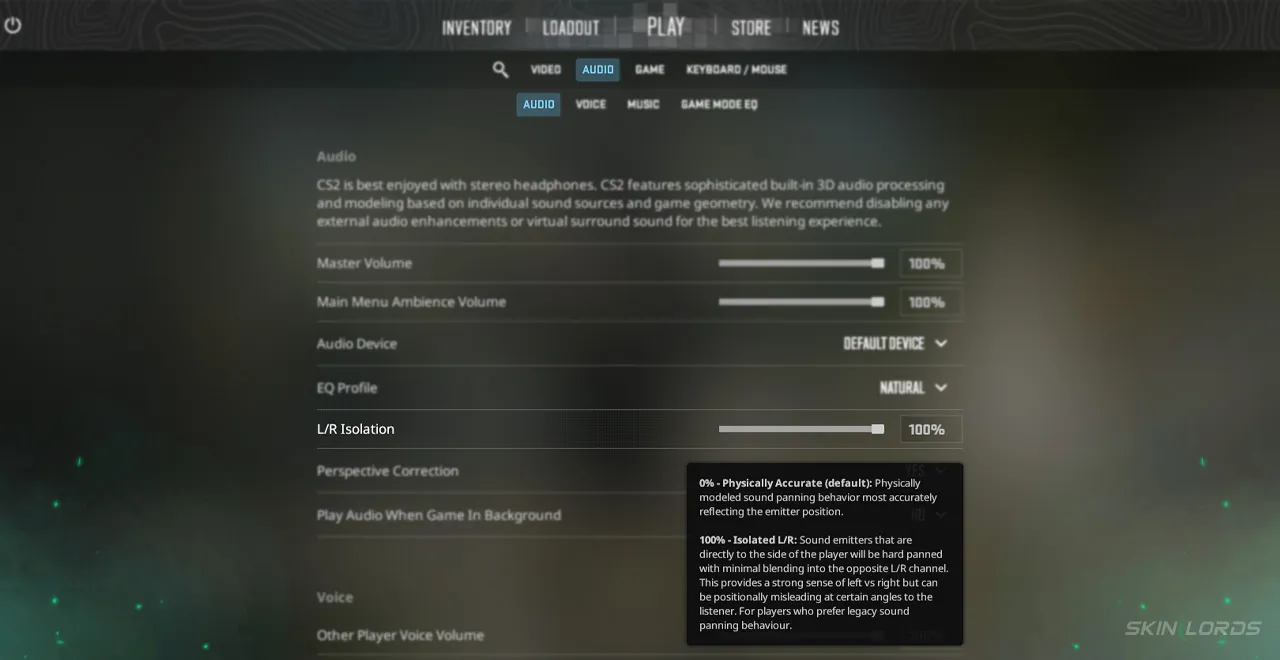
- At the very top, under “Audio,” you will find the slider for L/R Isolation
- Simply adjust the slider to change the percentage of L/R Isolation
It really depends person to person how they react to L/R isolation. You will either hate it or see it as entirely useless. If you have enjoyed this article and would like to see more like it, please feel free to leave a comment below on the settings you’d like to see covered next!

Similar Articles
See all
Game Customization
Which CS2 Cases Have Bloodhound Gloves?
07.31.2026
0
32
Game Customization

Every CS2 Skin With A Blue Gem Pattern
07.31.2026
0
42
Related Casinos

 Stake
Stake
Leave a reply