













































How to Turn Down or Mute Music in CS2
When you first launch Counter-Strike 2, you may notice that the music is deafeningly loud. However, you can easily adjust the volume or mute the music within the game’s audio settings. CS2 has a wide range of customizable audio options, so you can set the music to a level that you find comfortable.

Check out more Rust guides on our blog
Follow the Steps Below
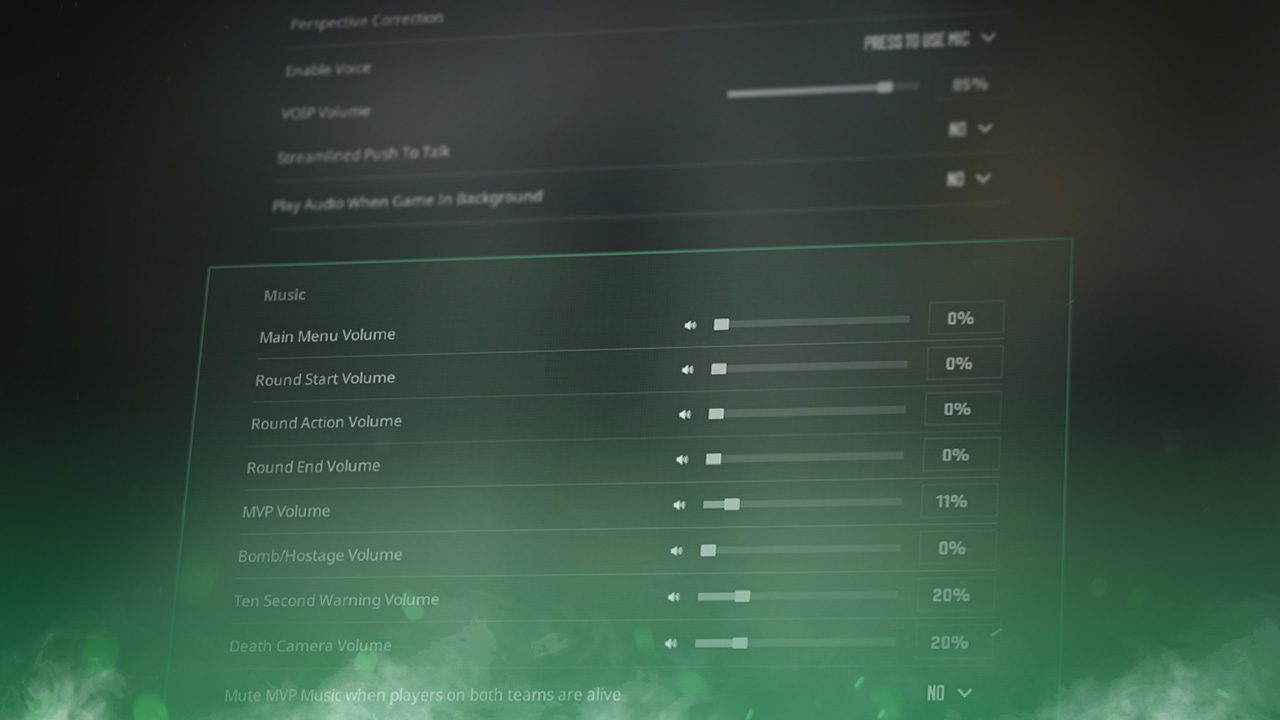
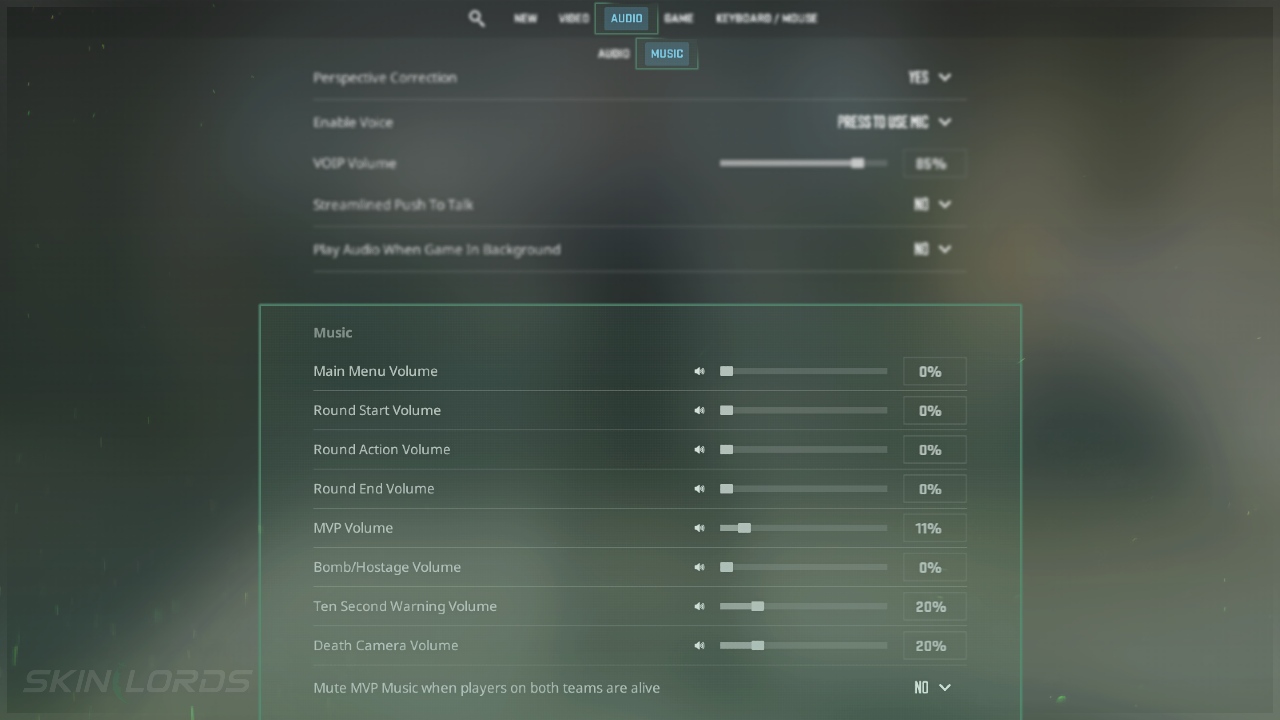
- Open the Settings Menu and click on the Audio option in the top menu
- Scroll down until you see the Music settings
Using the Developer Console
If you are unsure how to open the developer console in CS2, view our quick guide.
Turn Off Main Menu Music
- Open the Developer Console
- Type
snd_menumusic_volume 0into the console
Turn Off MVP Music
- Open the Developer Console
- Type
snd_mvp_volume 0into the console
We hope you found our quick guide on customizing the music audio in Counter-Strike 2 useful. If we missed any important information or if you encountered any issues while following the instructions in this guide, please don’t hesitate to leave a comment.

Similar Articles
See all
Game Customization
How to Change CS2 Sniper Crosshair Thickness
04.16.2026
0
231
Game Customization
How to Disable CS2 Silencer Removal
04.16.2026
0
751
Related Casinos

 Stake
Stake
Leave a reply