













































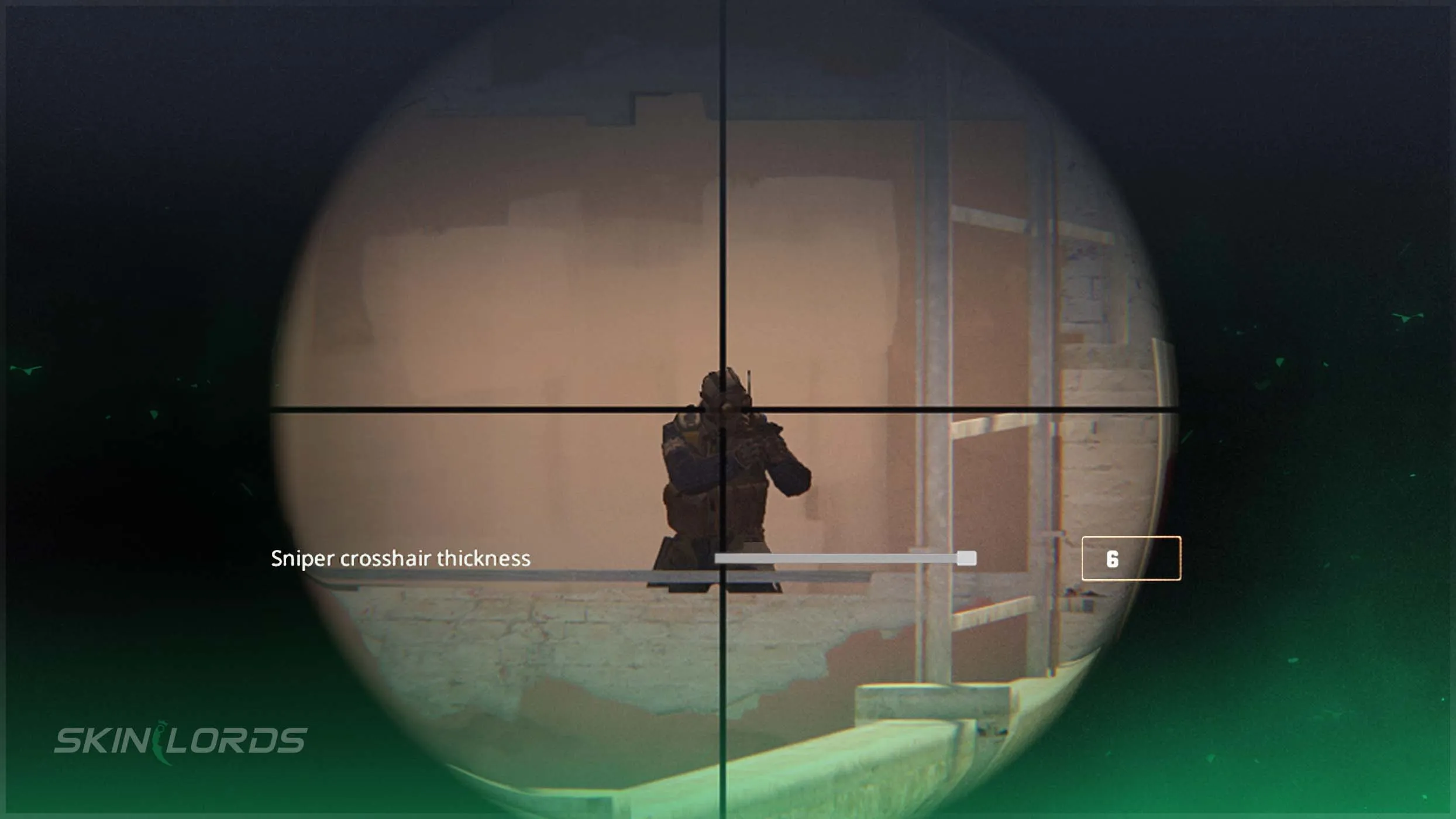
How to Change CS2 Sniper Crosshair Thickness
In this article, we will teach you how to change your CS2 sniper crosshair thickness for the best performance possible! In a game filled with competitive play and intense clutch moments, every setting is important. Become the best AWP user, and adjust your crosshair settings!

Check out more CS2 settings and gameplay guides on our blog:
Why Change CS2 Sniper Crosshair Thickness
For most, these settings will never change, but to truly level up your play, you must adjust them to suit you. Although default settings are a fantastic starting point for most, at the highest level of play, professionals have gone through every setting. Adjusting your scoped crosshair thickness, whether making it thicker or thinner, you will find the best thickness for you. For some, a thinner crosshair is desirable to allow the largest field of view, while for others, a larger crosshair is useful to line up that perfect shot.
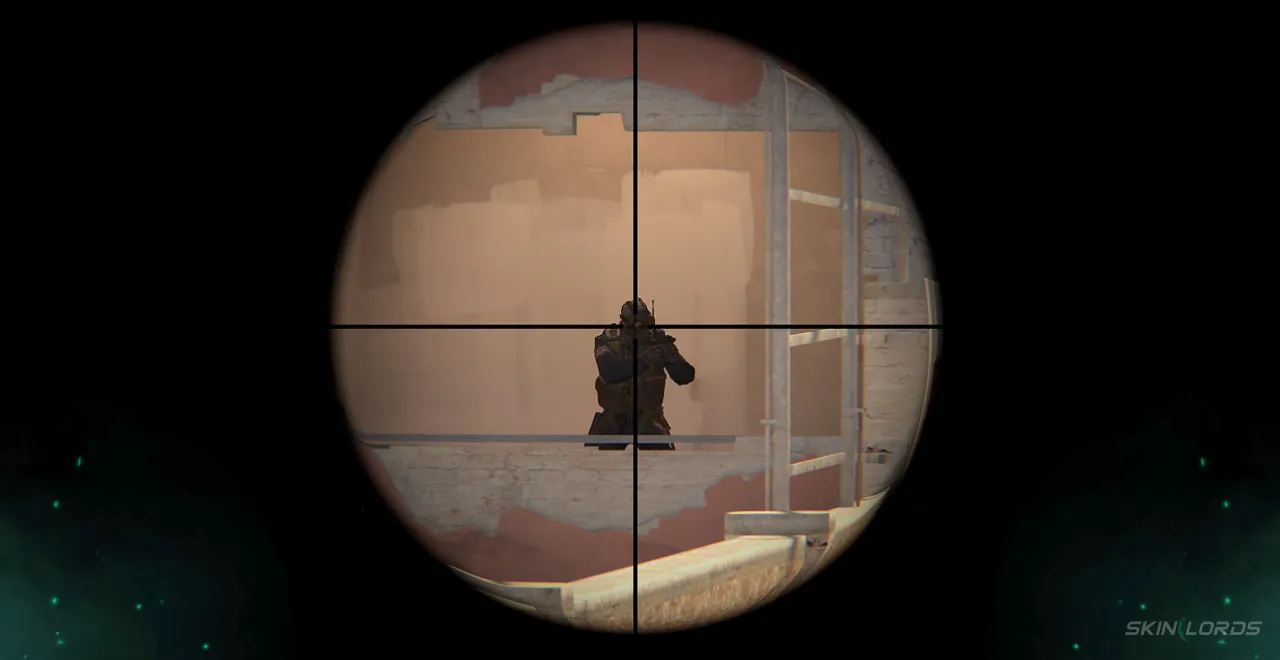
How to Change Scoped Crosshair Thickness
The process of changing the scoped crosshair thickness is actually quite quick. Simply:
- Launch CS2 and locate the settings wheel in the top left corner of the screen
- Once in settings, locate the “game tab.”
- Underneath the game tab is the category “Sniper Sights.”
- In Sniper Sight settings, there is a crosshair thickness slider that lets you adjust the crosshair thickness easily.
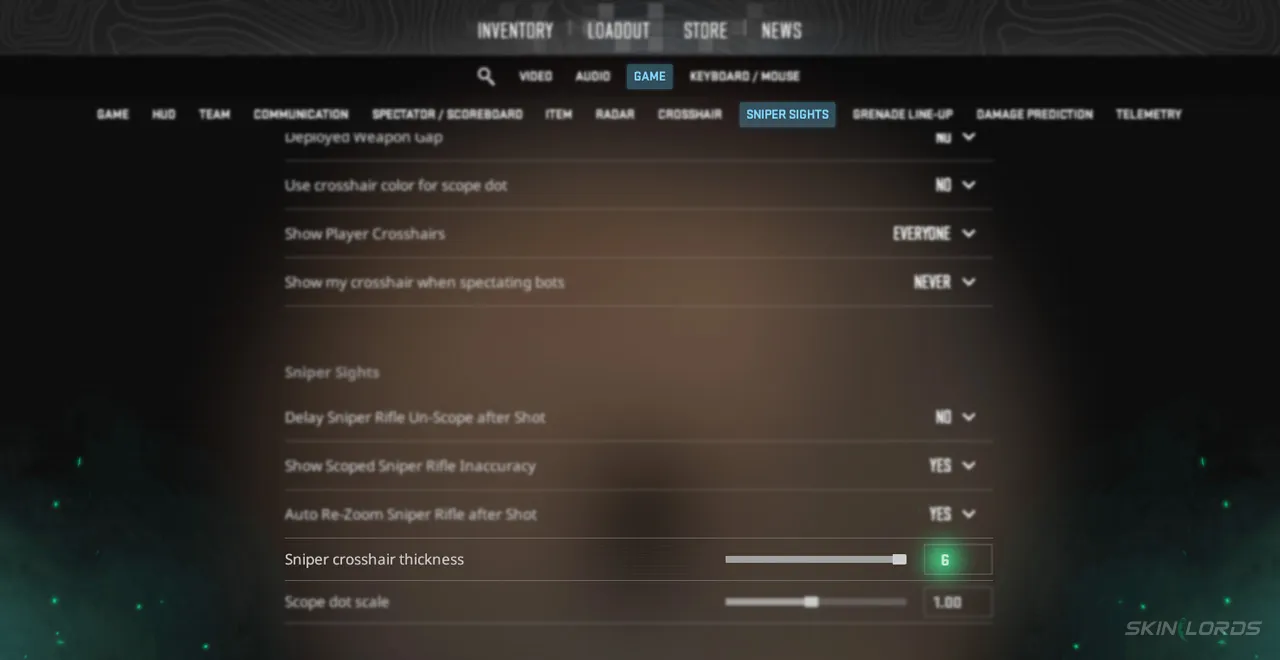
Just like that, your settings can be changed with the ease of a slider! Changing your CS2 settings may take a bit of time, but that investment will not only improve your play but also make it more enjoyable. Even if you don’t end up changing your settings, learning these skills will be quite helpful over the course of your CS2 career! If you have enjoyed this settings guide and would like to see more custom setting guides like it, feel free to leave a comment down below on what you’d like to see next.

Similar Articles
See all
Guides
Which CS2 Cases Have Bloodhound Gloves?
07.31.2026
0
32
Guides

Every CS2 Skin With A Blue Gem Pattern
07.31.2026
0
42
Related Casinos

 Stake
Stake
Leave a reply