













































How To Change Voice Volume in CS2
Today, we will show you how to adjust the voice volume in CS2 settings! It’s recommended to go through and personalize all CS2 audio settings for the optimal competitive experience. Voice volume is no exception.

Check out more CS2 settings and gameplay guides on our blog:
How to Adjust Voice Chat Volume in CS2
In a matter of a few clicks, voice chat volume can be changed, even in the middle of games. Simply:
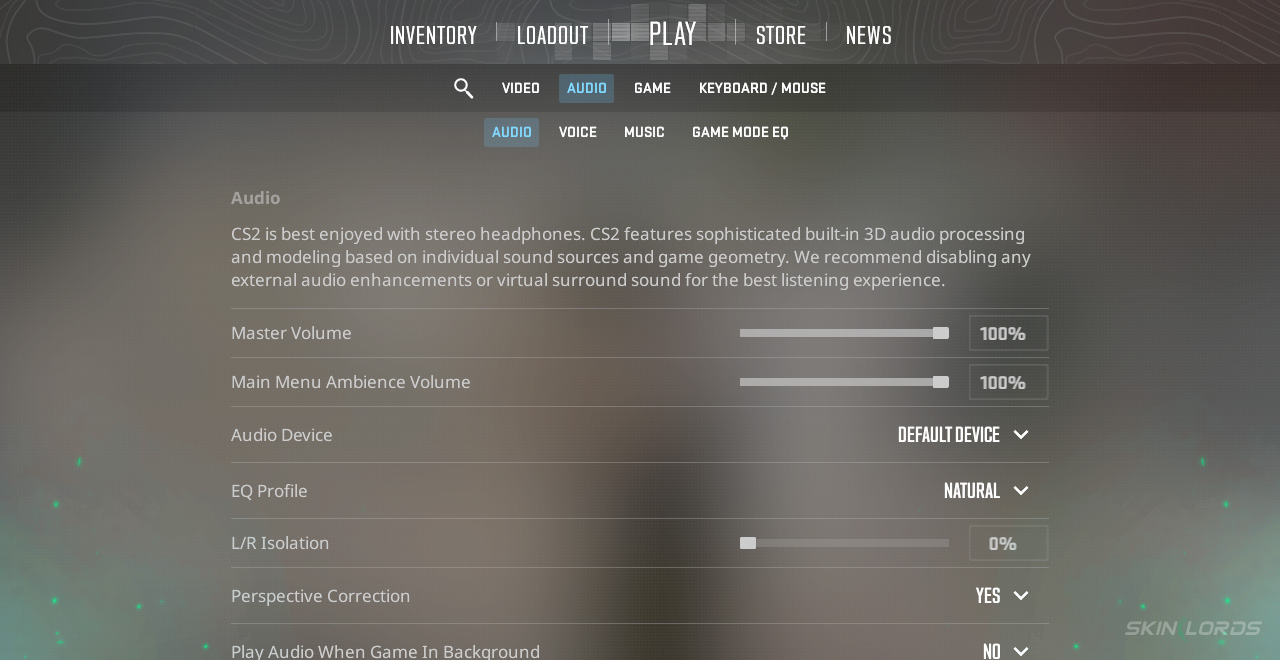
- Boot CS2 and locate the settings icon in the top left corner
- Once in CS2 settings, enter the “Audio” tab
- Scroll down to “Voice Settings”
- Under “Other Player Voice Volume”, locate the volume slider
- Adjust to a volume that feels most comfortable to you
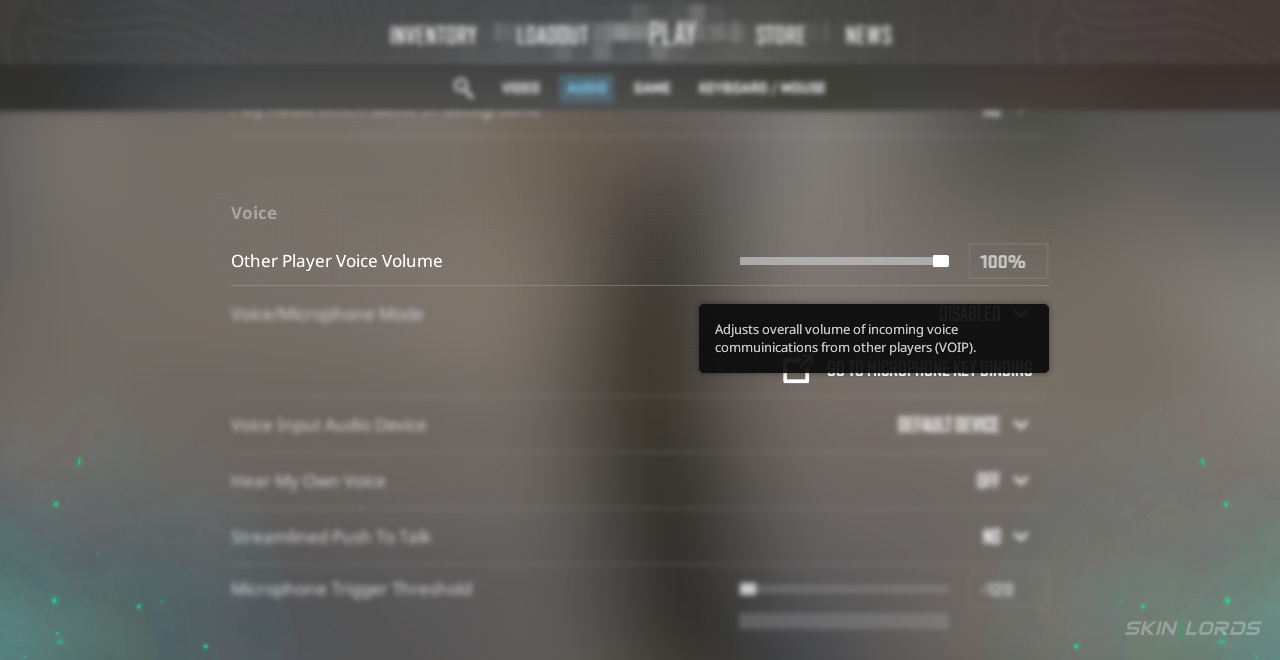
Just like that, you have adjusted your CS2 voice chat volume for the first time! The first time is always the hardest, and from now on, you can change it at a moment’s notice whenever needed.
Why Alter CS2 Voice Chat Volume?
It can be helpful to adjust other players’ voice volume for so many reasons. Whether it’s an annoying player who is quite loud or a team you don’t want to hear chatting, changing your volume is quite helpful. In a perfect world, every CS2 player would use voice chat in a calm, collected manner, but unfortunately, a large portion of the community thrives on the chaos that often ensues. This is why adjusting others’ voice chat volume is so helpful.
A quick, easy fix for an annoying disturbance, this setting is definitely worth remembering! Exploring your CS2 settings can be extremely rewarding, especially in competitive play, as even the most minor setting tweak can make a world of difference. If you have enjoyed this article and would like to see more CS2 settings covered, feel free to leave a comment down below on the setting you’d like to see addressed.

Similar Articles
See all
Guides

Which CS2 Cases Have Bloodhound Gloves?
07.31.2026
0
32
Guides

Every CS2 Skin With A Blue Gem Pattern
07.31.2026
0
42
Related Casinos


 Stake
Stake
Leave a reply