













































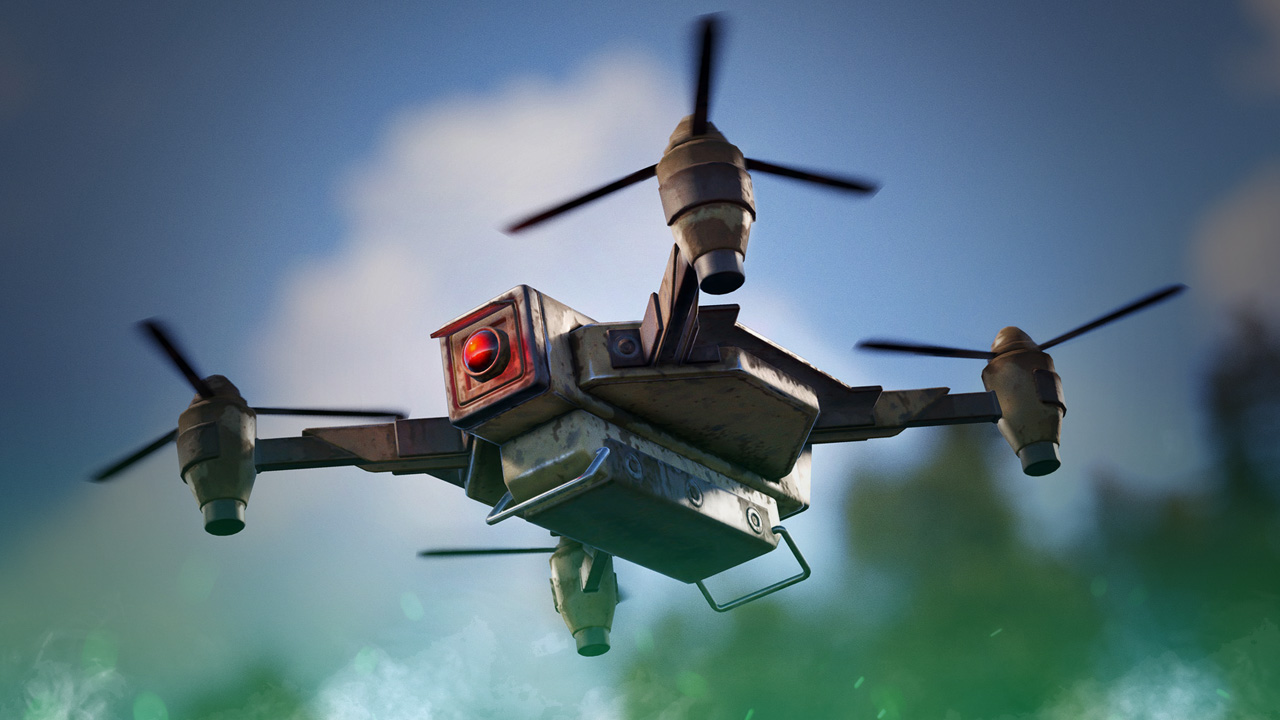
Rust Drone Storage Rework Guide
Rust’s Drones received a rework with October’s Meta Shift update, adding a single storage slot for transporting items. The rework shows love to the vastly underused feature that was considered useless by most players. Here’s how you can take advantage of Rust’s new drone storage feature.

Check out the rest of the Pivot or Die update in our update guide:
How to Interact With Drone Storage
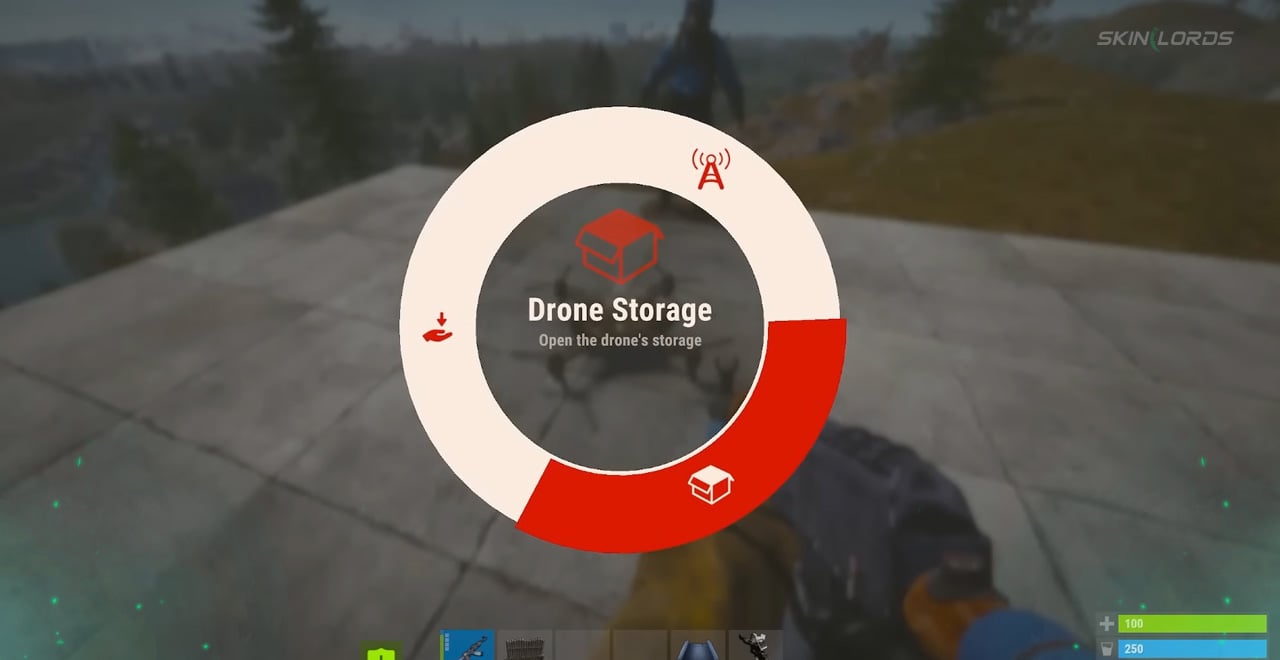
Drone storage can be accessed by holding “E” on any drone and selecting “Drone Storage” from the context menu. Once you add your item (or stack of items) of choice to the drone, you can then pilot it delivering the item to wherever needed.
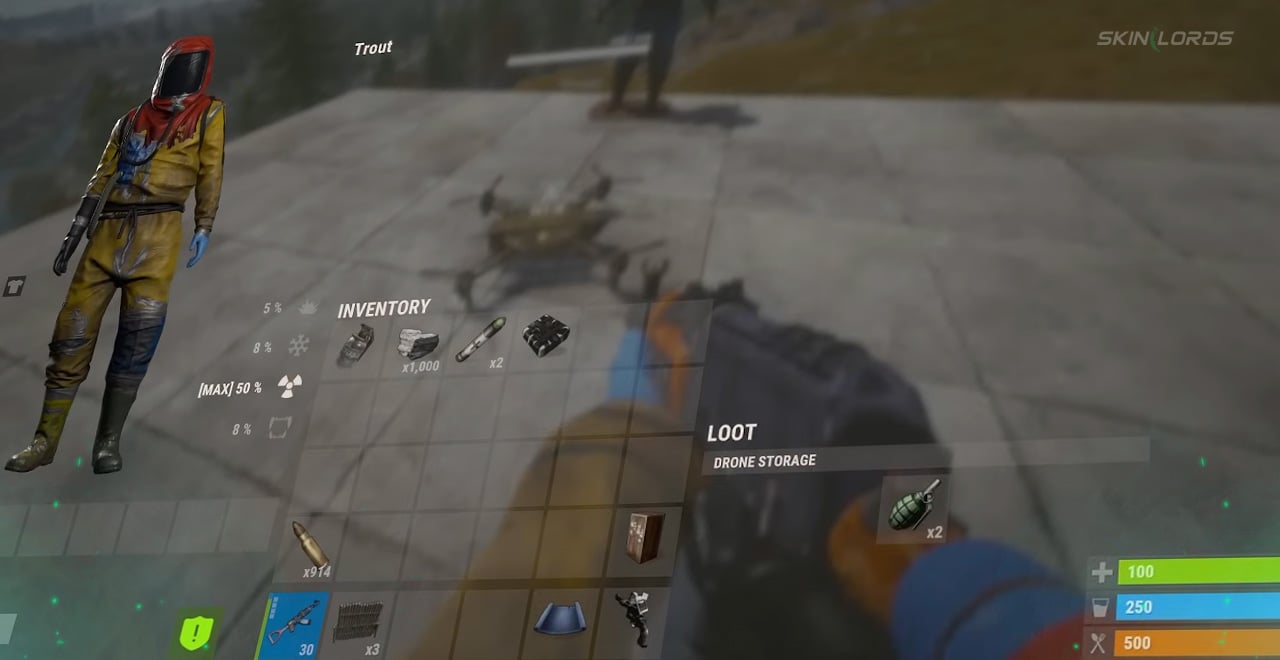
How to Drop Items With Drone Storage
With Rust’s new drone storage feature also comes the ability for drones to drop items, dispersing them from the skies. After your drone has reached its planned destination, simply left-click to drop the drone’s stored items. If throwable explosives are dropped from the drone, such as F1 grenades or C4, they will activate and explode as if normally thrown.
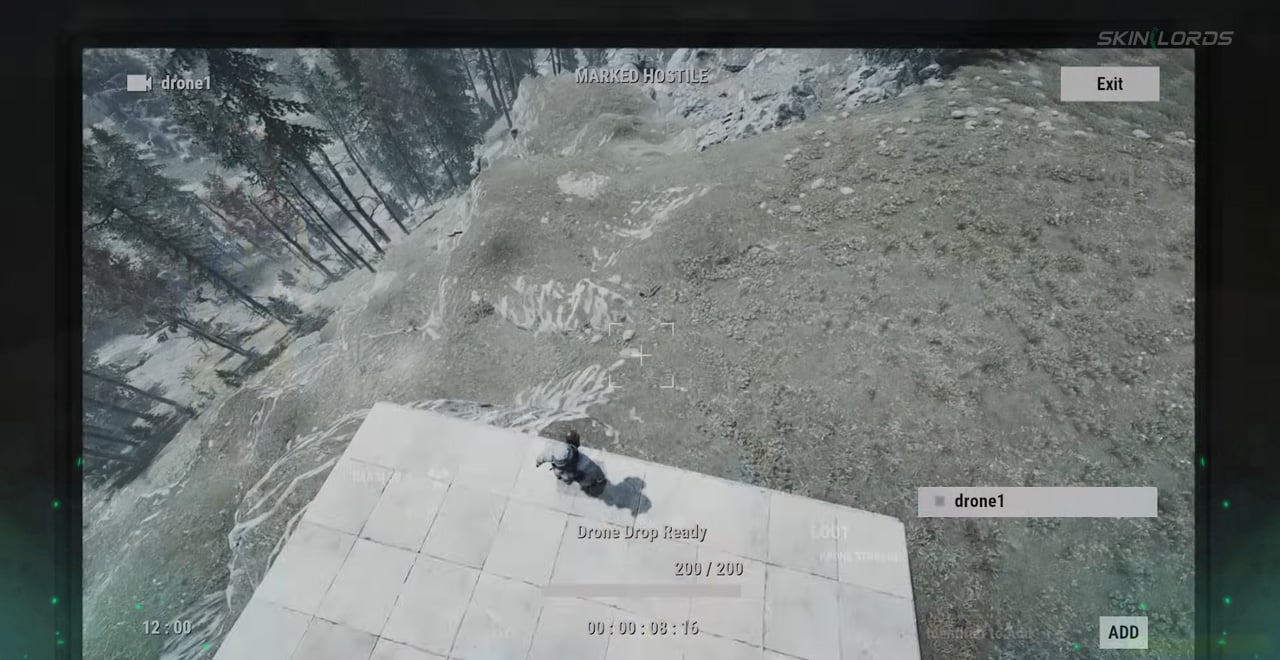
SAM Site And Auto Turret Drone Targeting
With the drones receiving a massive buff, of course, the developers thought of a way to balance them. Both SAM Sites and Auto Turrets will now target player drones, treating them as hostile enemies. It is important to note that this does not apply to marketplace drones.
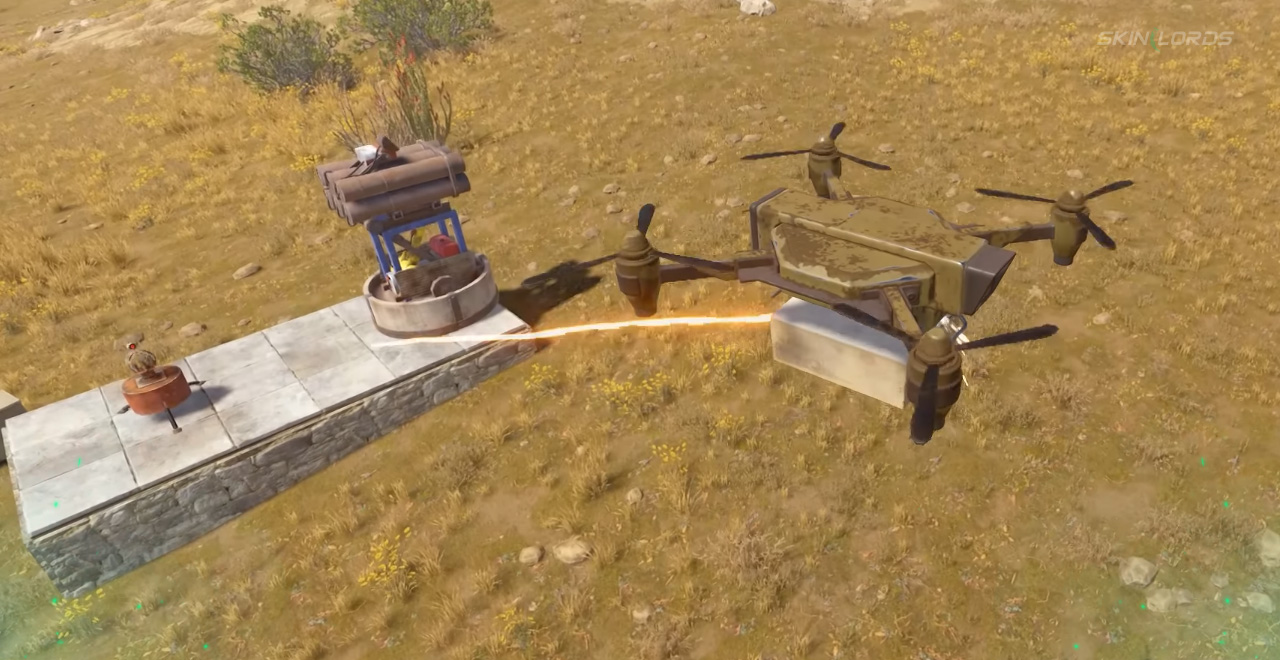
That covers the entirety of Rust’s Drone Storage Rework. The improvements to the drone create a world of possibilities for players to experiment with. Expect to see drones dropping airstrikes, personally delivering items, and zapping across the sky much more often now. If you enjoyed this article, feel free to check out our article covering the Shore Crates added by the Meta Shift Update. See you next time!

Similar Articles
See all
Rust Updates
How to Upkeep High External Walls in Rust
08.19.2026
0
6
Rust Updates
Rust Bar Games Pack DLC: How to Purchase And What’s Inside
08.19.2026
0
6
Related Casinos
 Stake
Stake
Leave a reply