








































Rust Clan System: How to Create, Join, and Use Rust Clans
In Rust’s July Common Ground update, the long-awaited Clans System has finally made its way into Rust for players to enjoy. The clan system allows you to team with up to 100 players, making large groups stronger than ever before. Follow along as we introduce you to the clan system and teach you how to use it.

For more coverage of everything in this Rust update, check out our blog
Rust Clan System: How to Create Clans
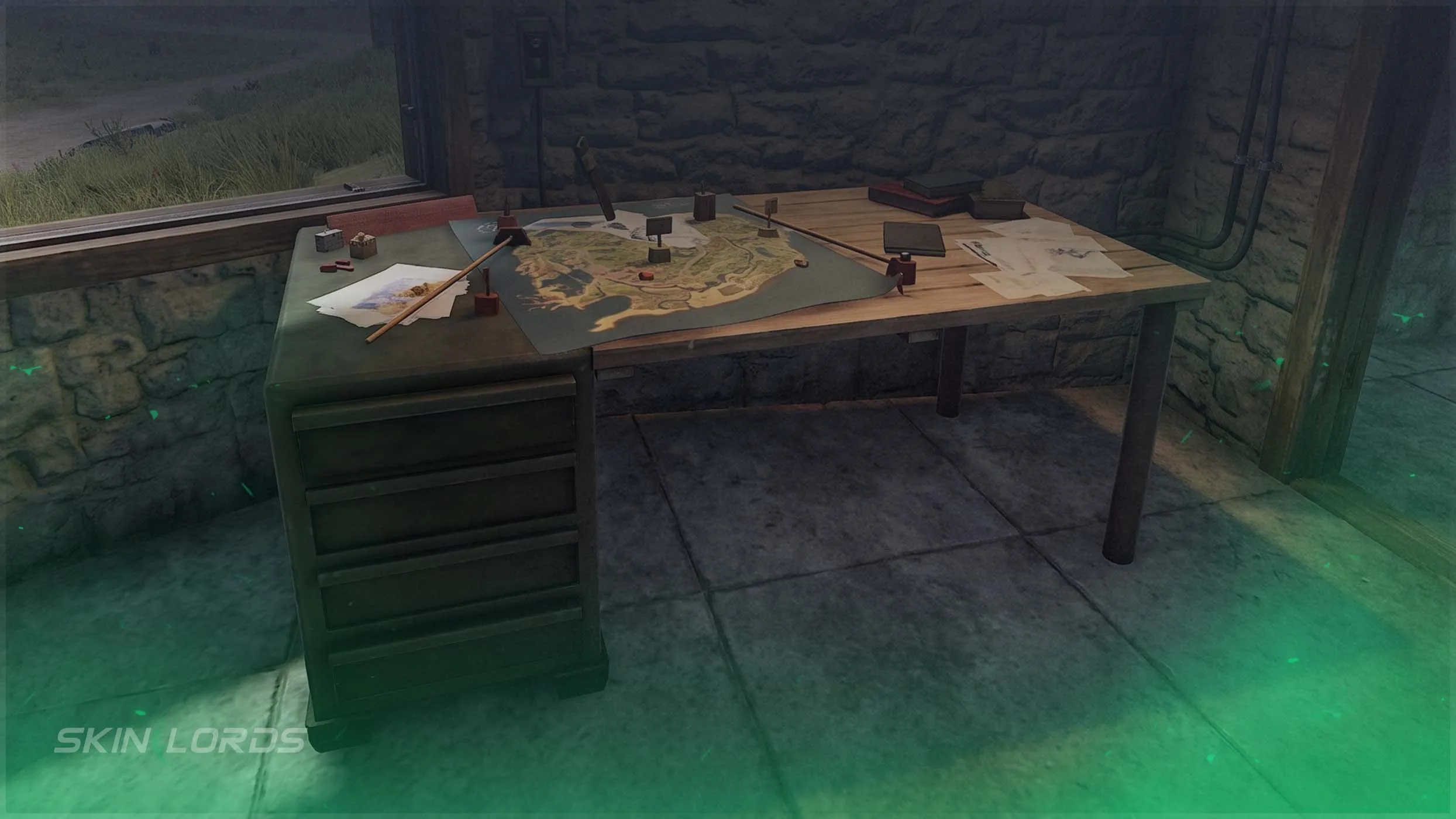
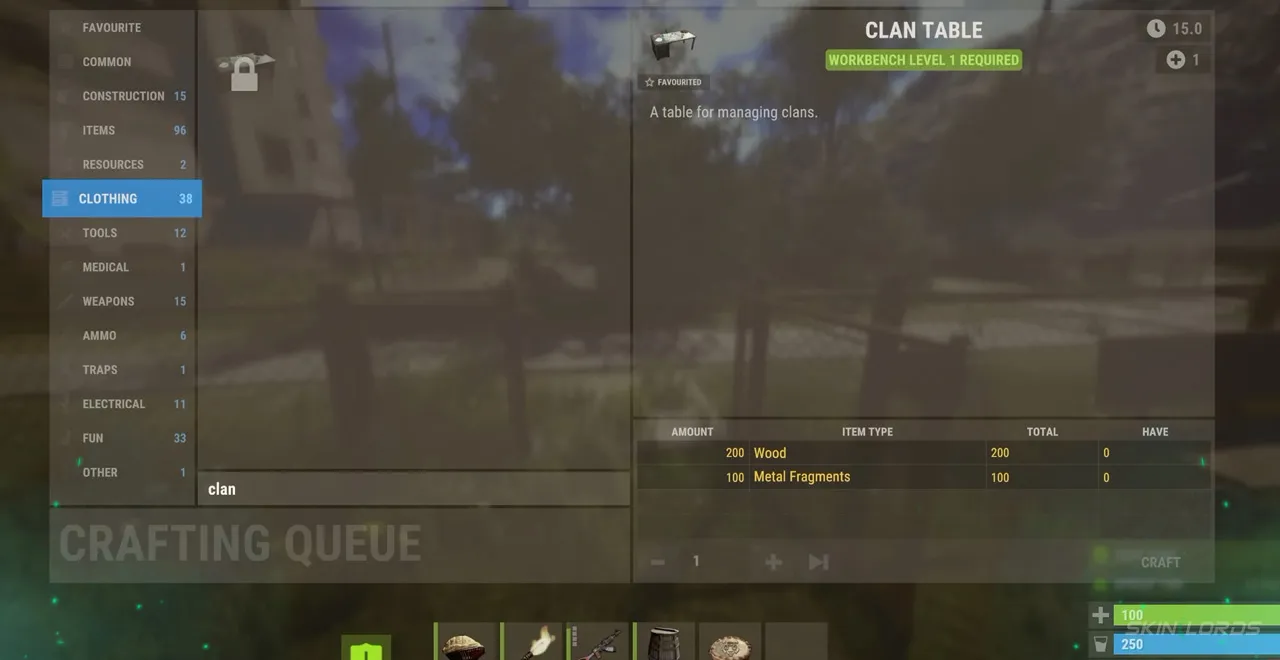
Rust clans can be created at the Clan Table. The Clan Table can be found inside the Outpost or crafted using 200 Wood and 100 Metal Fragments. Once it is accessed, you will be able to create a clan and name it. There cannot be two clans with the same name on a server, as clan names must be unique. Once created, head to the settings tab to edit your banner color and logo.
Rust Clan System: How to Send and Accept Clan Invites
To send a clan invite, stand within the radius of a clan table and hold “E” on an unaffiliated player to invite them to the clan. Once invited, the player can accept the invitation by selecting the Clan tab at the top center of the inventory, which allows them to view all current clan invitations. Once in a clan, you will be able to see the nameplates of all clan members and their locations on the map, similar to the team system. It is possible to have a clan and a team at the same time.
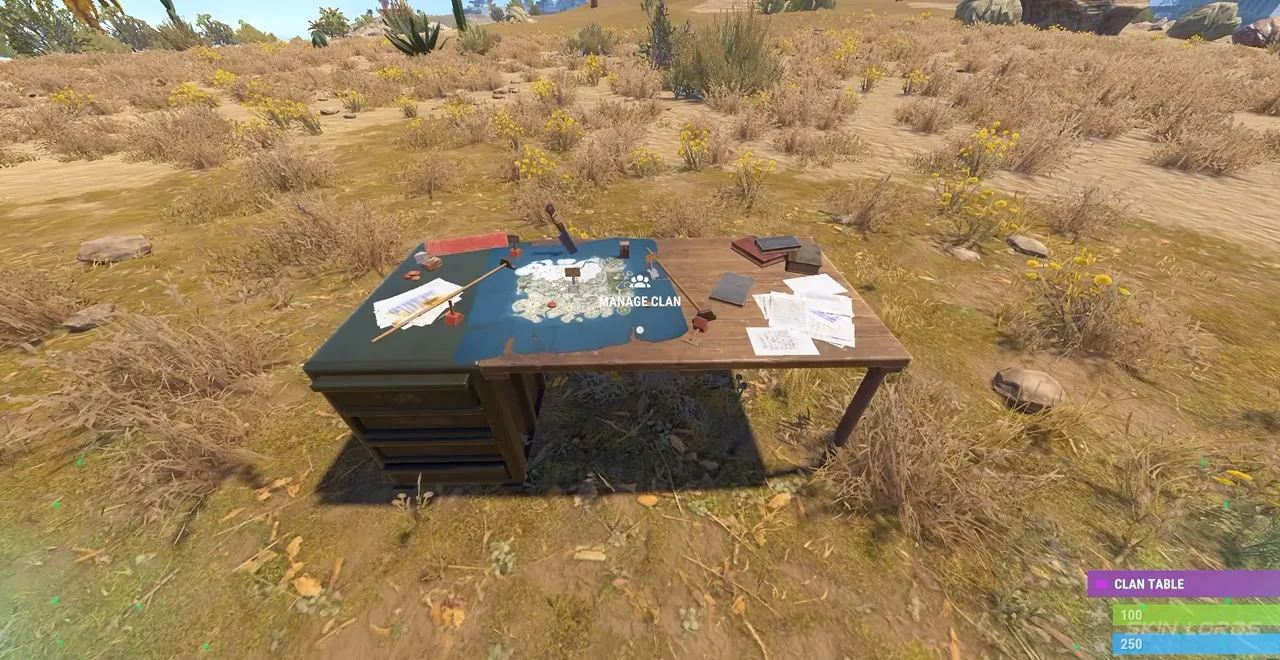
Rust Clan System: Clan Features
Depending on the permissions of your rank, you will have several clan features available to you. All members of the clan will be able to access the clan chat, which can be accessed by pressing Tab while having the chat open. The announcement board will allow you to set a clan-wide message that can be viewed at any time. The logs tab will allow you to see a record of all clan actions completed by clan members, such as inviting or kicking members. Finally, there is a score tab which keeps track of the reputation of clan members; killing naked or unarmed players will lower the score, while killing geared players or providing for the clan will raise it.
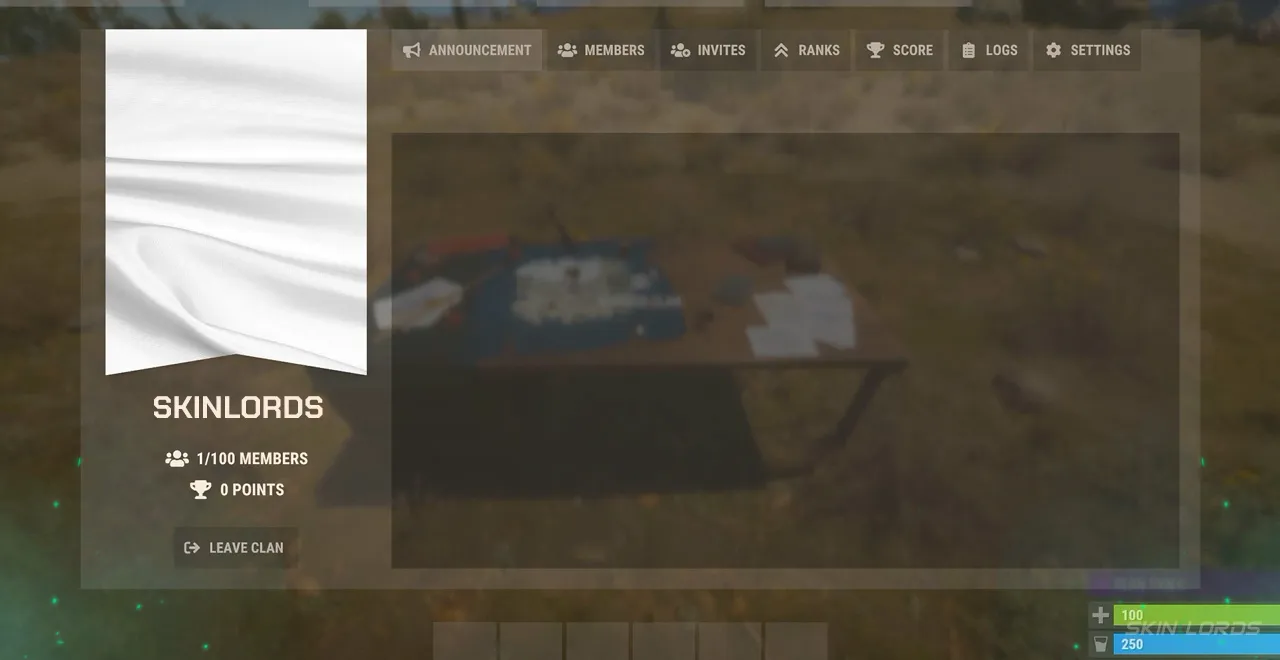
That covers everything you need to know about Rust’s new clan system. Live out your zerg dreams as you are now able to team up with more players than ever before. If you enjoyed this blog, feel free to check out our blog covering the updates to the skin viewer system from last month. See you next time!

Similar Articles
See all
Rust Guides
Rust Workbench Upgrades: Every Upgrade and How to Get Them
08.07.2026
0
32
Rust Guides

Rust Apartment Complex: How to Rent and Use Shops
08.07.2026
0
30
Related Casinos
 Stake
Stake
Leave a reply