













































How To Enable Push to Talk in CS2
Today, we will show you how to enable push-to-talk in CS2 settings! A relatively common setting change, push-to-talk is a helpful way to communicate with teammates, while still allowing you to stay muted when you aren’t speaking.

Check out more CS2 settings and gameplay guides on our blog:
How to Enable Push to Talk in CS2
A matter of a few clicks, enabling push-to-talk in your CS2 audio settings is a straightforward setting that anyone can change:
- Boot CS2 and locate the settings icon in the top left corner
- Once in CS2 settings, enter the “Audio” tab
- Scroll down to “Voice Settings”
- Under Voice/Microphone mode, select Push to Talk
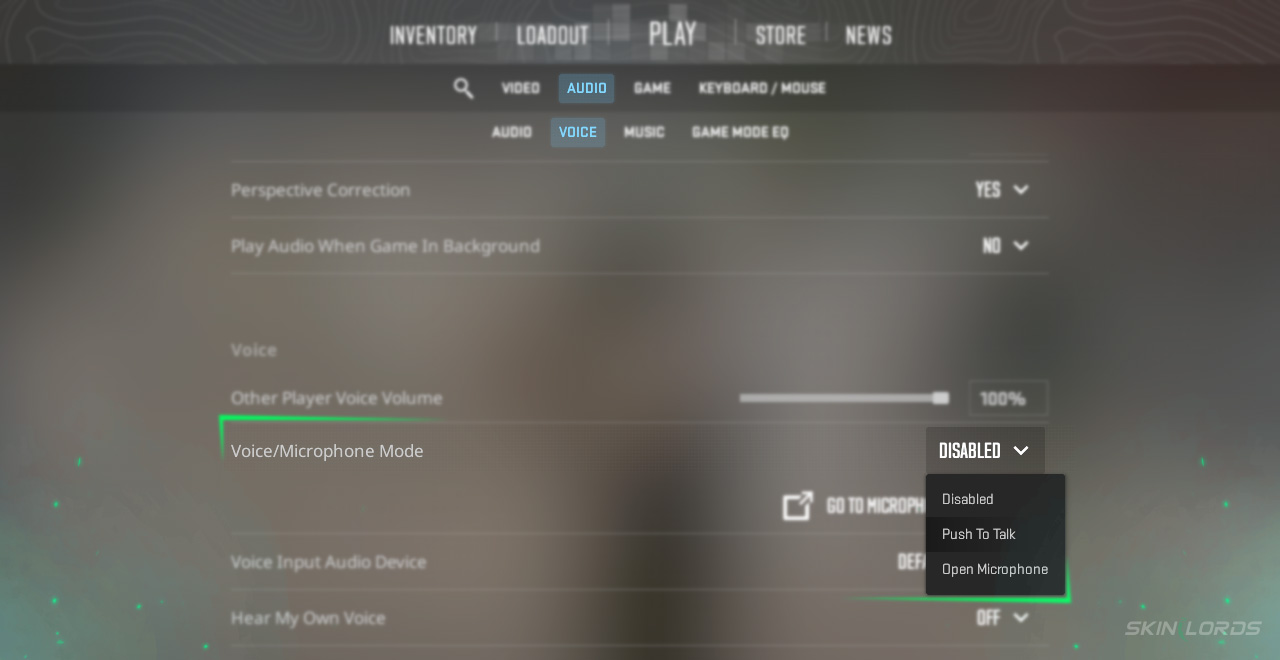
Just like that, you now have Push to Talk enabled. Within a few rounds, you will not only see a difference in your gameplay, but also in your team’s communication levels!
How to Change Your CS2 Push to Talk Bind
Now that you have Push to Talk enabled, it’s essential to assign a bind that works best for you to use when talking with. Ideally, this bind should be a key you can press while still moving and aiming in-game. To change your push-to-talk button, simply:
- Locate Keyboard/Mouse settings
- Under Keyboard/Mouse, click “Communication Options.”
- Now, at the “Use Microphone” setting, assign a key that works best for you
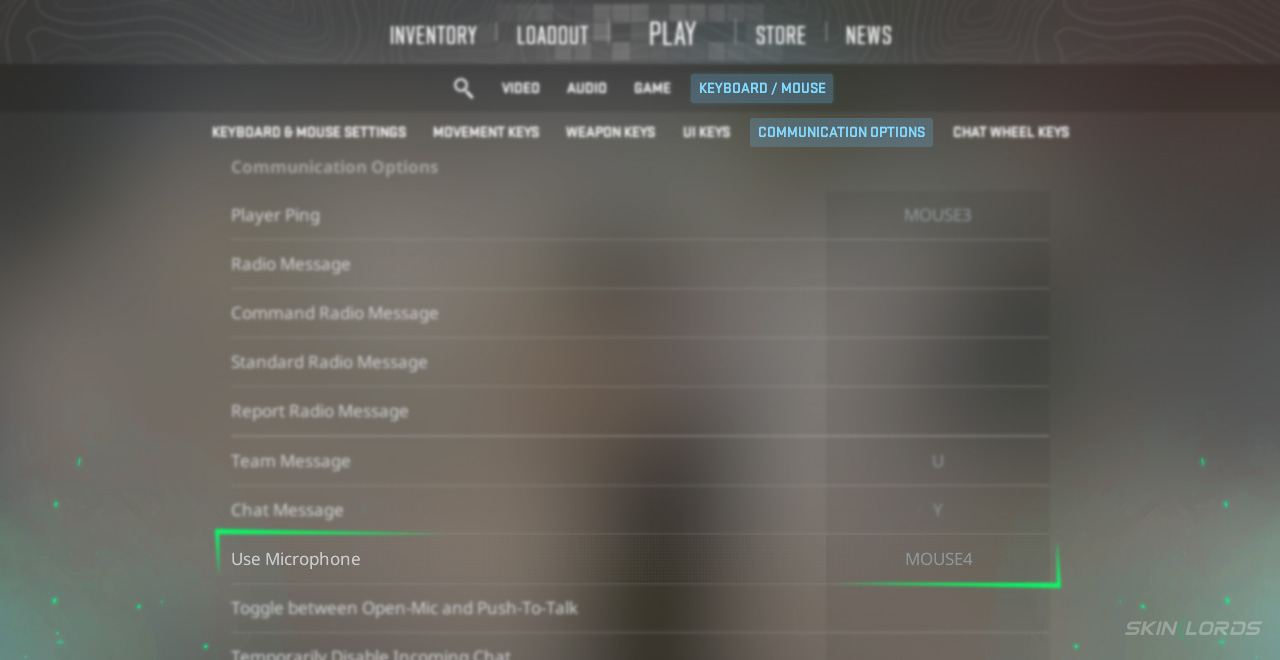
Having push-to-talk bound to an easy-to-reach key is essential for situations where you need to communicate while holding an angle or pushing. Communicating via voice chat is the best form of CS2 communication as it allows for fluid play, unbothered by typing in team or game chats. If you have enjoyed this article and would like to see more audio or voice setting guides, feel free to leave a comment down below on the settings you’d like to see next!

Similar Articles
See all
Guides
Which CS2 Cases Have Bloodhound Gloves?
07.31.2026
0
32
Guides

Every CS2 Skin With A Blue Gem Pattern
07.31.2026
0
42
Related Casinos


 Stake
Stake
Leave a reply