














































How To View Steam Wallet Activity
Steam is a perfect place to enjoy games, connect with friends, and more! Featuring a fantastic selection of games, skins, and even Steam decks, there are plenty of places on Steam to spend money for lots of fun. The best way to do this is through the Steam wallet, which can be used to purchase anything on Steam. With money in your account, who wouldn’t want their wallet to be secure? Today, we’ll show you how to view your Steam wallet activity!

Find more Steam Guides on our blog!
Why Should You Check Wallet Activity?
Steam may be a fantastic platform for so many reasons, but no platform should be trusted entirely, especially when hard-earned money is at play. Although Steam is in no way malicious, account hacks, unauthorized access to your Steam account, or even yourself, can pose risks to your Steam wallet. Simply monitoring your Steam wallet activity can not only secure your funds but also make you aware of your spending habits.
How to See Steam Wallet Activity
Although Steam is a very secure platform, it’s always a good idea to review your account details periodically. It’s a minor inconvenience, but it can save you not only your well-earned Steam wallet but possibly your entire Steam account. Simply:
-
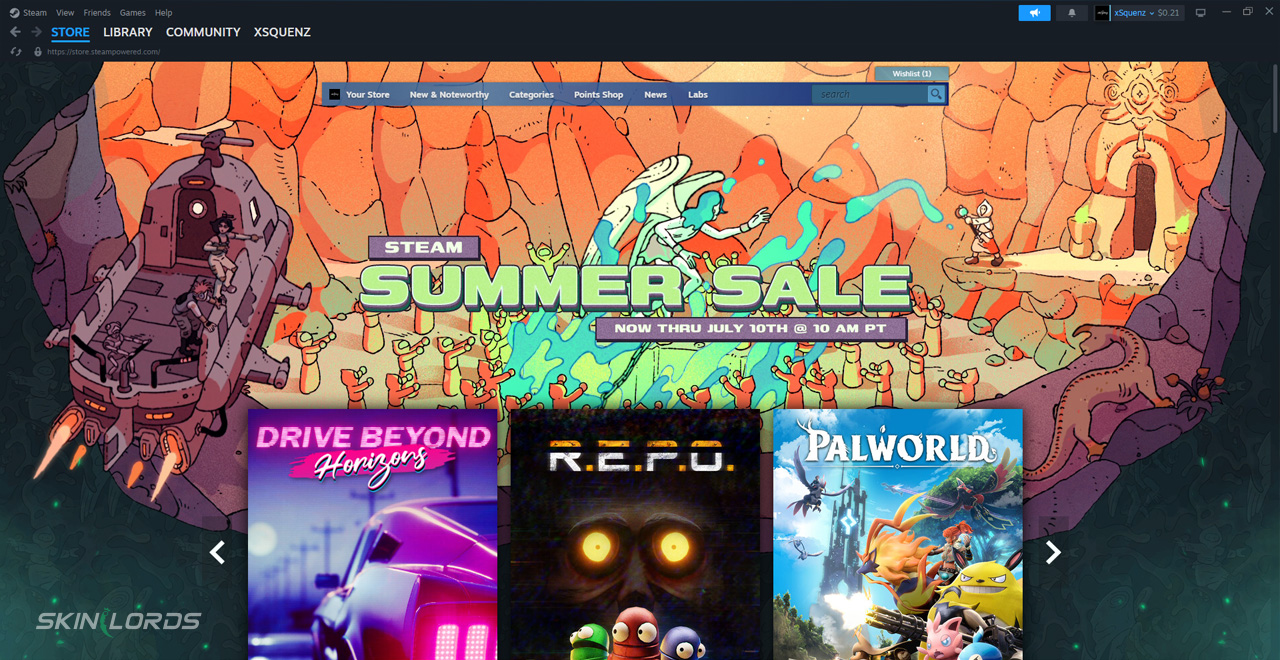
1Open Steam and log in to your account.
-
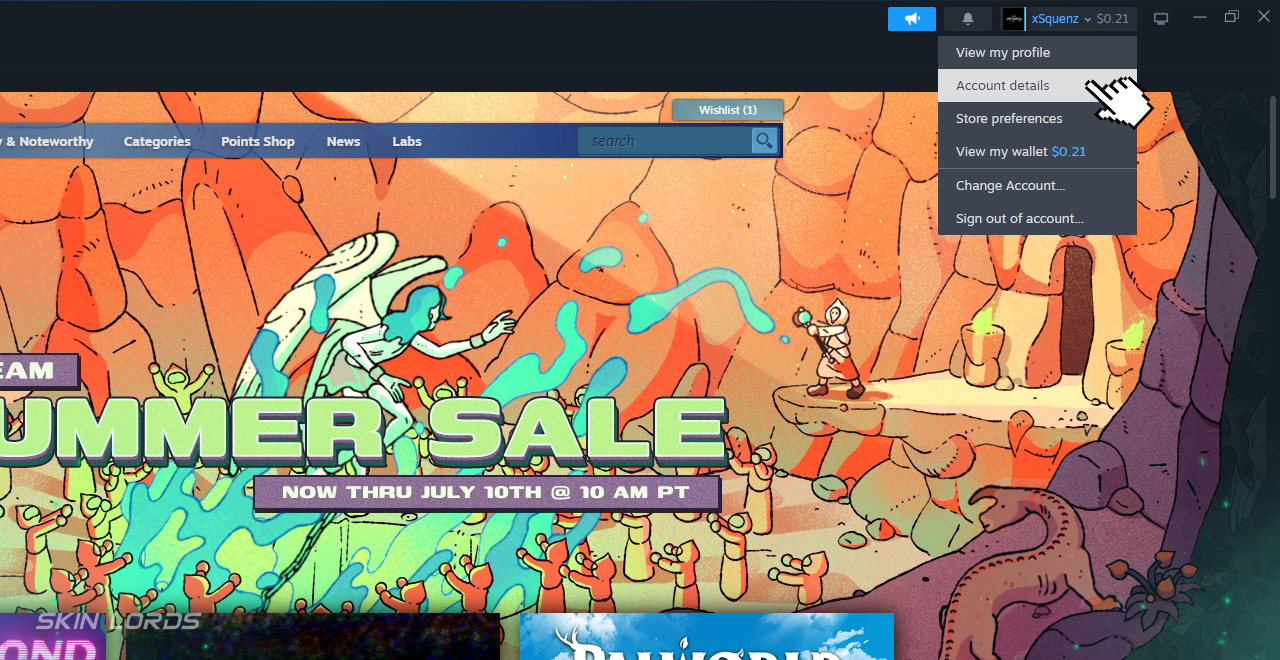
2Click your username in the top-right corner.
-
3Select “Account details” from the dropdown.
-
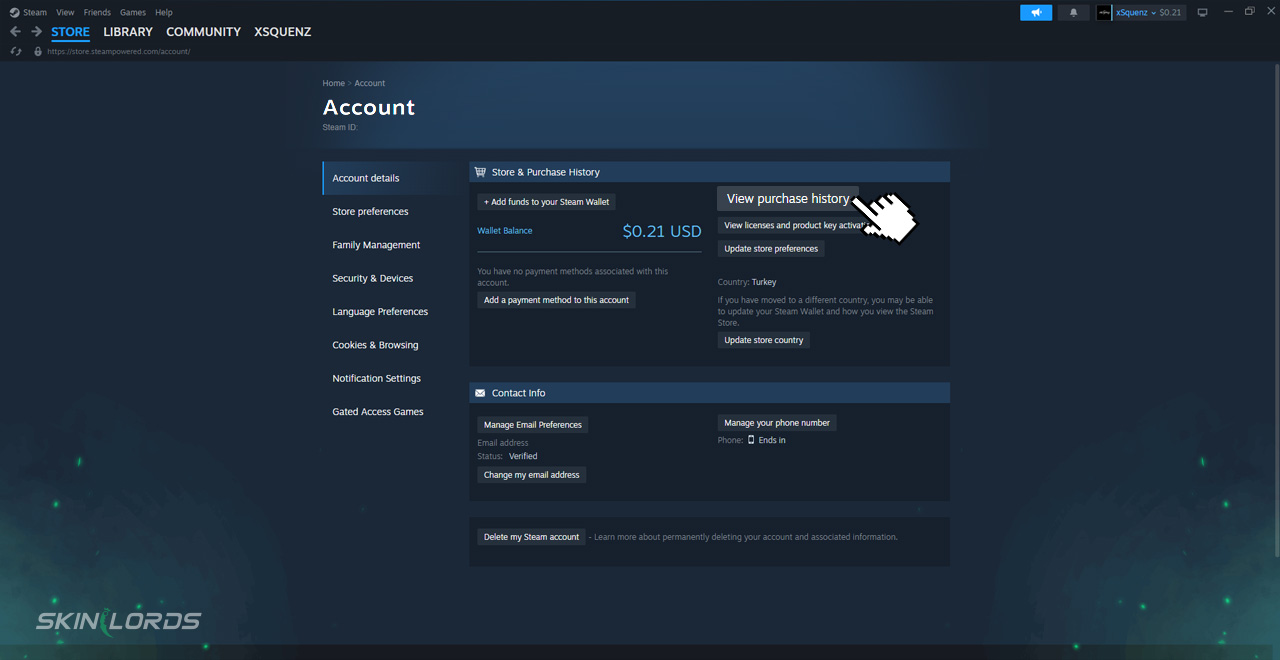
4Under “Store & Purchase History”, click “View purchase history.”
-
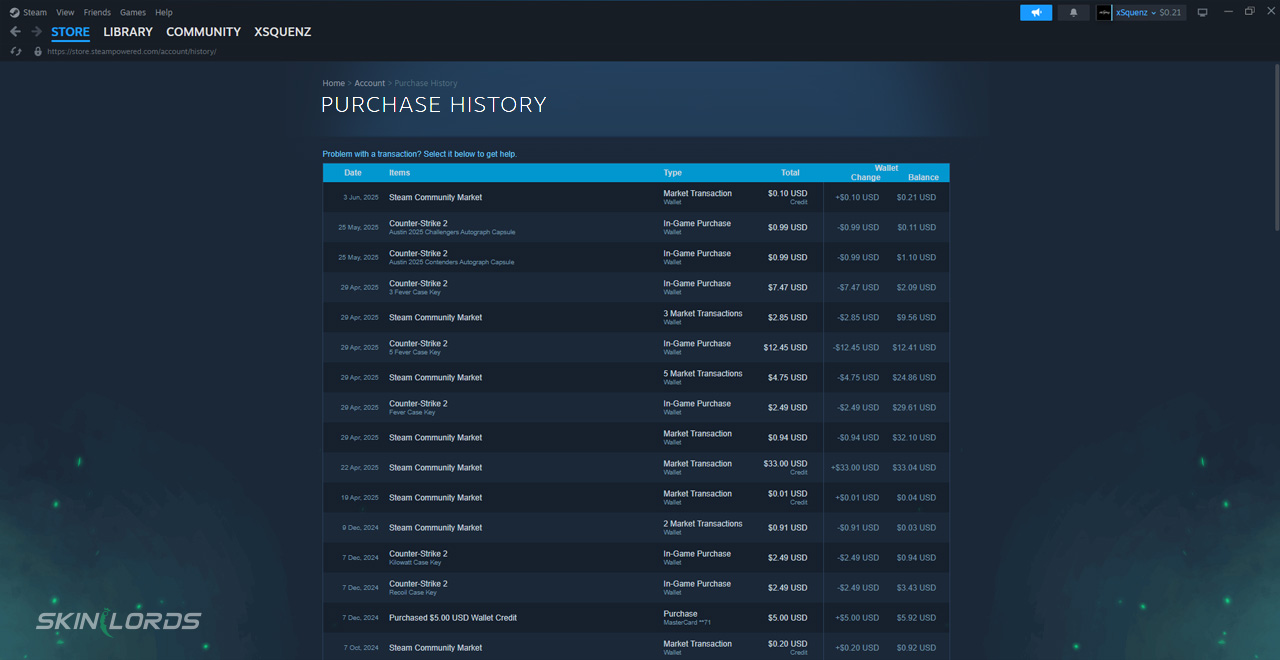
5You’ll now see a detailed list of all your transactions, including: wallet top-ups, game purchases, Market transactions, and Refunds
By checking these small and simple settings, your Steam wallet can remain a secure way to access the community market, or Steam store, without the need for other payment methods. If you liked this guide and would like to see more like it, please feel free to leave a comment below on what guide you’d like to see next.

Similar Articles
See all
Steam Guides

Valve Releases Steam Community Market UI Update in Beta Testing
08.23.2025
0
647
Steam Guides

How To Set Steam Spending Limits
08.15.2025
0
746
Related Casinos


 Stake
Stake
Leave a reply