














































How to Set Steam Spending Limits
We all have been there, on a bit of a spending spree at a fantastic Steam sale, when suddenly we realize more money was spent than intended. Although having a plethora of Steam games and items can be fun, managing your Steam wallet funds wisely is often the more financially responsible choice. Today, we will teach you how to set a Steam wallet limit.

Find more Steam Guides on our blog!
How to Set Steam Spending Limits
While there is no official spending limit feature for restricting Steam wallet balances on Steam yet, there are other simple methods to control spending. Here are a few:
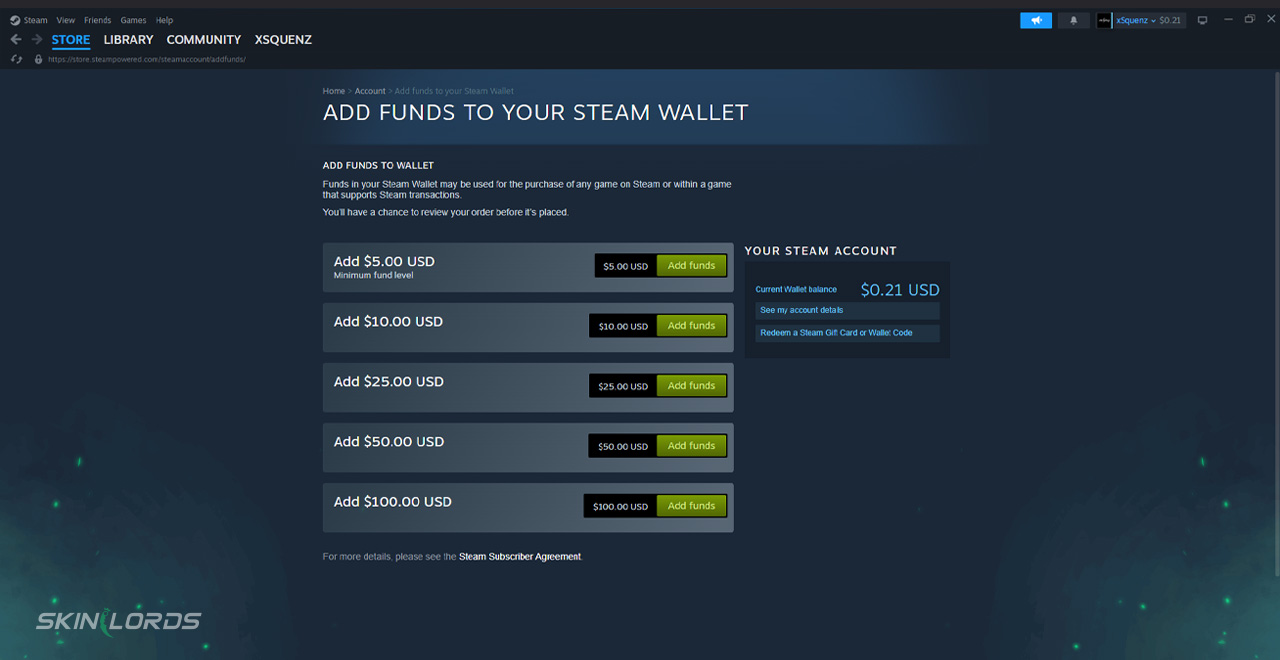
1. Use Steam Wallet Only
The Wallet is designed to only allow for the exact amount of money within the account to be spent; this in itself can protect you from overspending, as the balance remains limited without redeposits.
- 1Add a specific amount to your Steam Wallet and use it exclusively to purchase games or content
- 2Avoid linking a credit card to limit impulse purchases
2. Enable Steam Family View
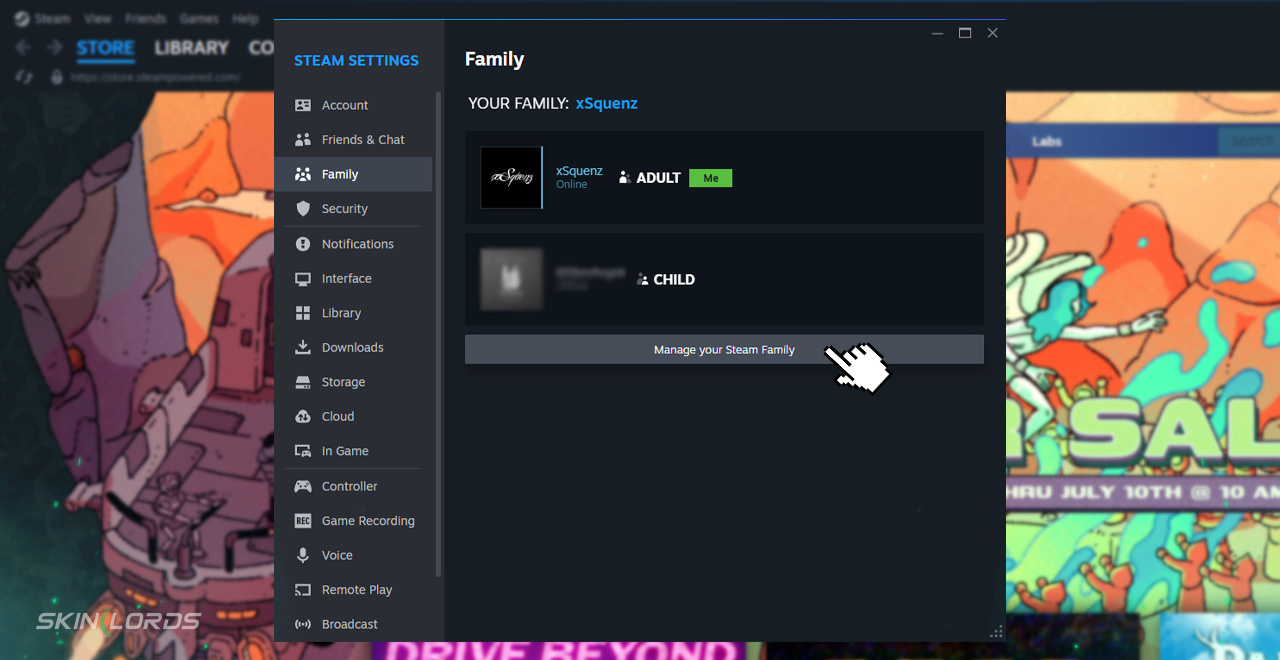
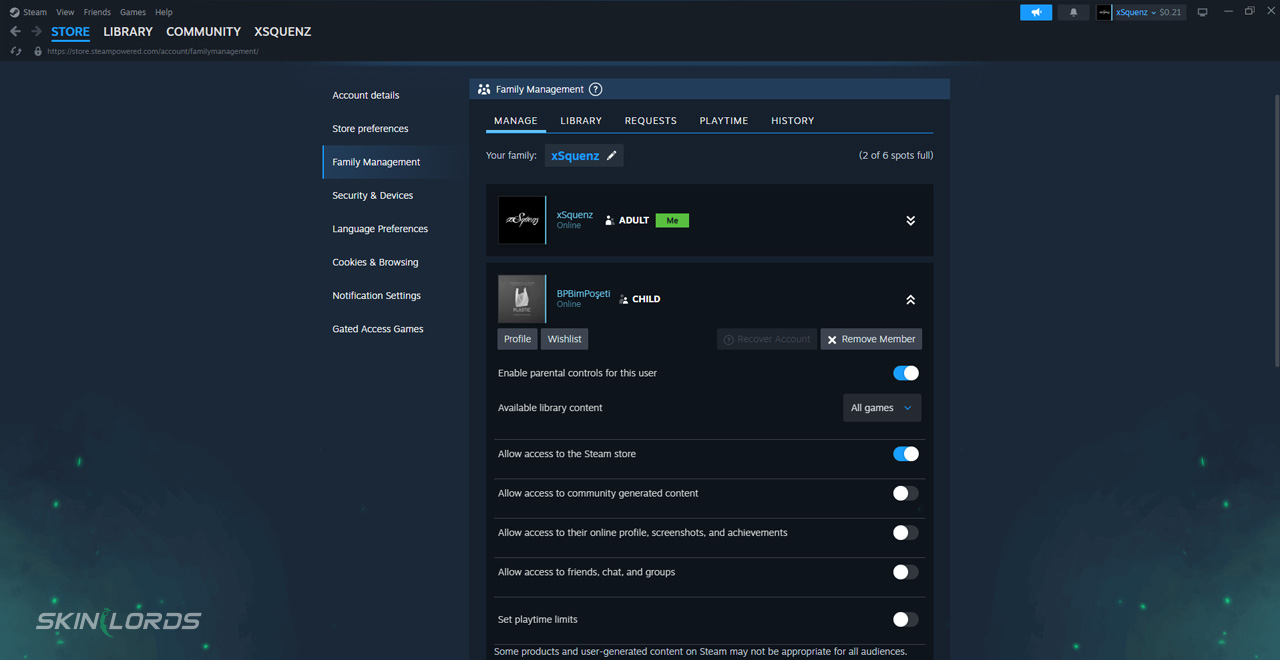
Steam Family settings can not only help with balance security, but also game sharing, age restrictions for younger family members, or even extra connection for friends.
- 1Go to Steam, then Settings, and finally Family
- 2Click “Manage Family View”
- 3Set restrictions so that only approved content and features (like purchases) are accessible behind a PIN

Although it may be difficult at times to set Steam spending limits in place, it is surely worth it in the long run! If you liked this guide and would like to see others like it, please feel free to leave a comment down below on what you’d like to see next!
Similar Articles See all
Steam Guides

How to Change Your Steam Game Playtime Visibility
10.21.2023
0
9,166
Steam Guides

How to Enable or Disable Comments on Your Steam Profile
10.15.2023
3
29,082
Related Casinos


 Stake
Stake
Leave a reply