













































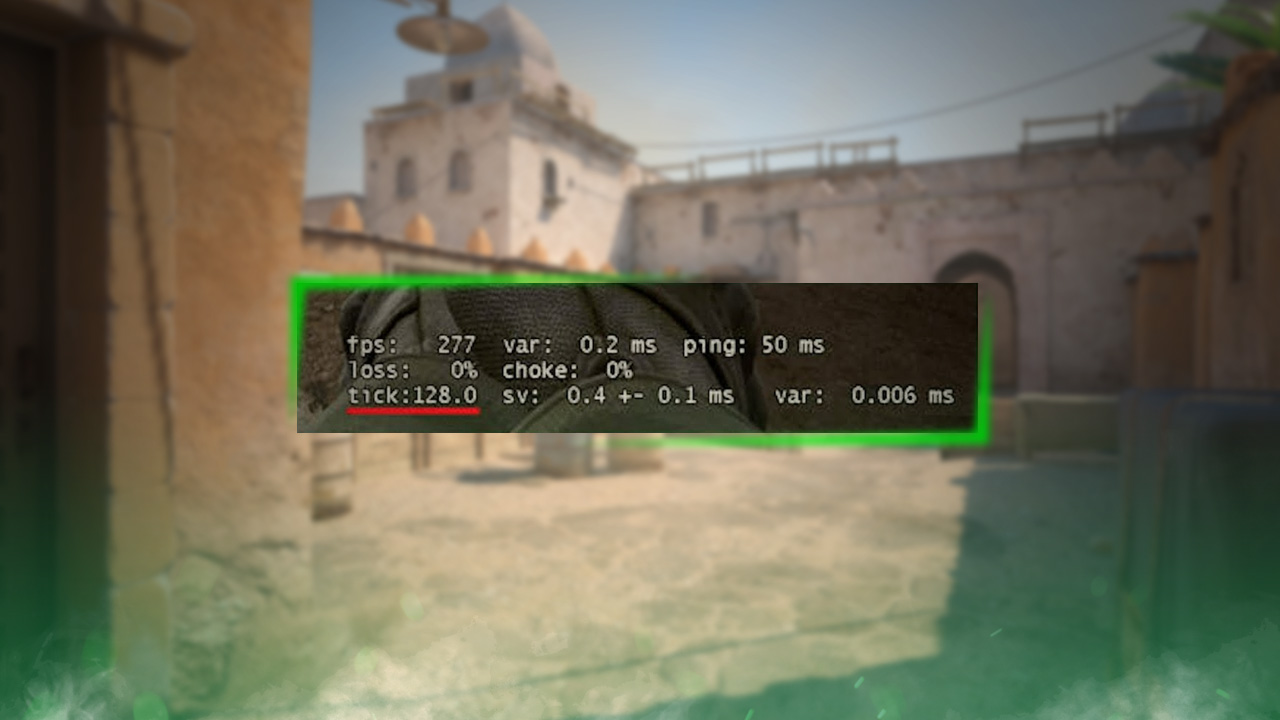
How to Show Your FPS in CS2
If you want to see how well your game runs in Counter-Strike 2, you can add an FPS (frames per second) counter. This will allow you to instantly see your current FPS while playing. Here is a quick guide on how to do it using a simple developer console command:

Find more CS2 guides on our blog!
Follow the Steps Below
- Open the Steam application
- Find Steam and its icon in the upper-left menu and left-click it once
- Locate and open Settings in the dropdown menu
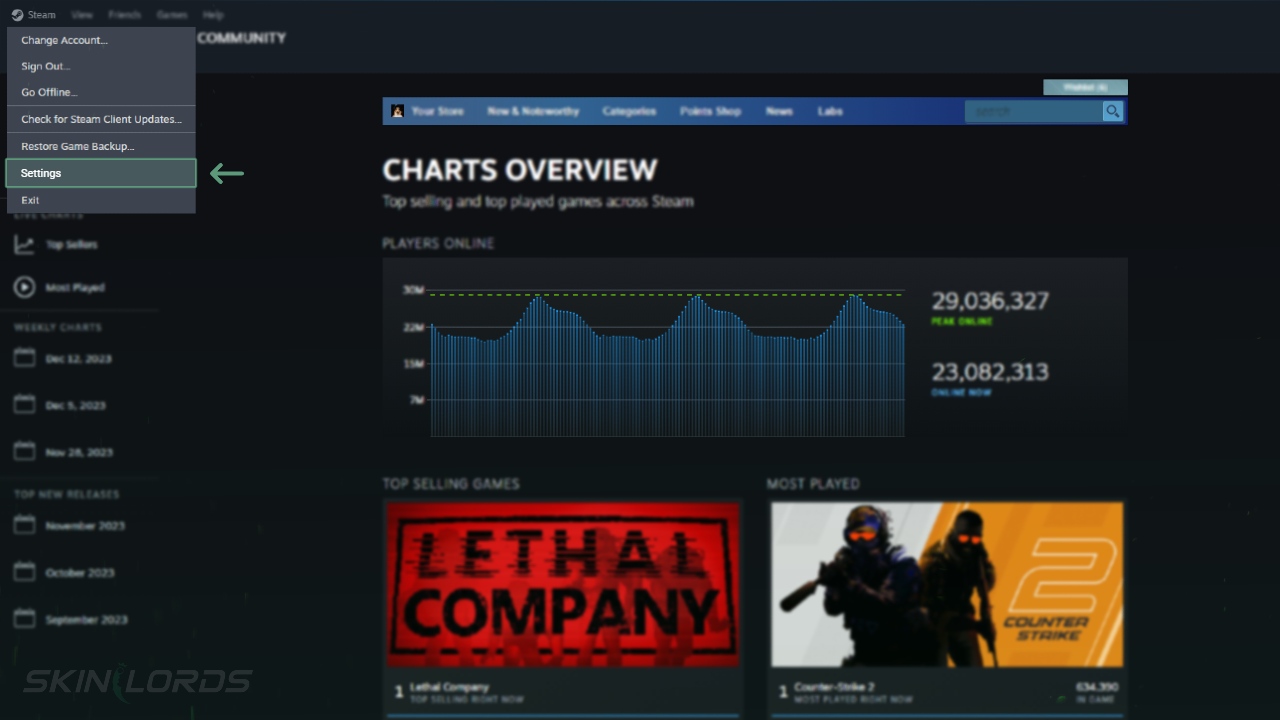
The Steam In-Game Settings
Keep in mind that this setting affects all your Steam games. In Counter Strike 2, there’s no specific option to show your FPS, so you need to configure it in Steam settings.
- Locate and select In Game in the left menu
- Locate the In-game FPS counter and click its dropdown menu on the right
- Choose what you prefer

We hope you found our quick guide on how to view your FPS (frames per second) in Counter-Strike 2 useful. If we missed any important information or if you encountered any issues while following the instructions in this guide, please don’t hesitate to leave a comment.





Similar Articles
See all
Game Customization
How to Change CS2 Sniper Crosshair Thickness
04.16.2026
0
253
Game Customization
How to Disable CS2 Silencer Removal
04.16.2026
0
785
Related Casinos

 Stake
Stake
Leave a reply