













































How to Join CS2 Community Servers
The CS2 community-made servers are incredibly popular and host a variety of gameplay modes such as surfing, bunny-hopping, 1v1 battles, and many others. Nevertheless, browsing and filtering through these servers can be daunting, as the interface may appear outdated and confusing.
Here is a quick and easy guide to help you navigate the CS2 Community Server Browser.

For a complete guide on CS2 Community Servers, check out this article
Navigate to the Community Server Browser
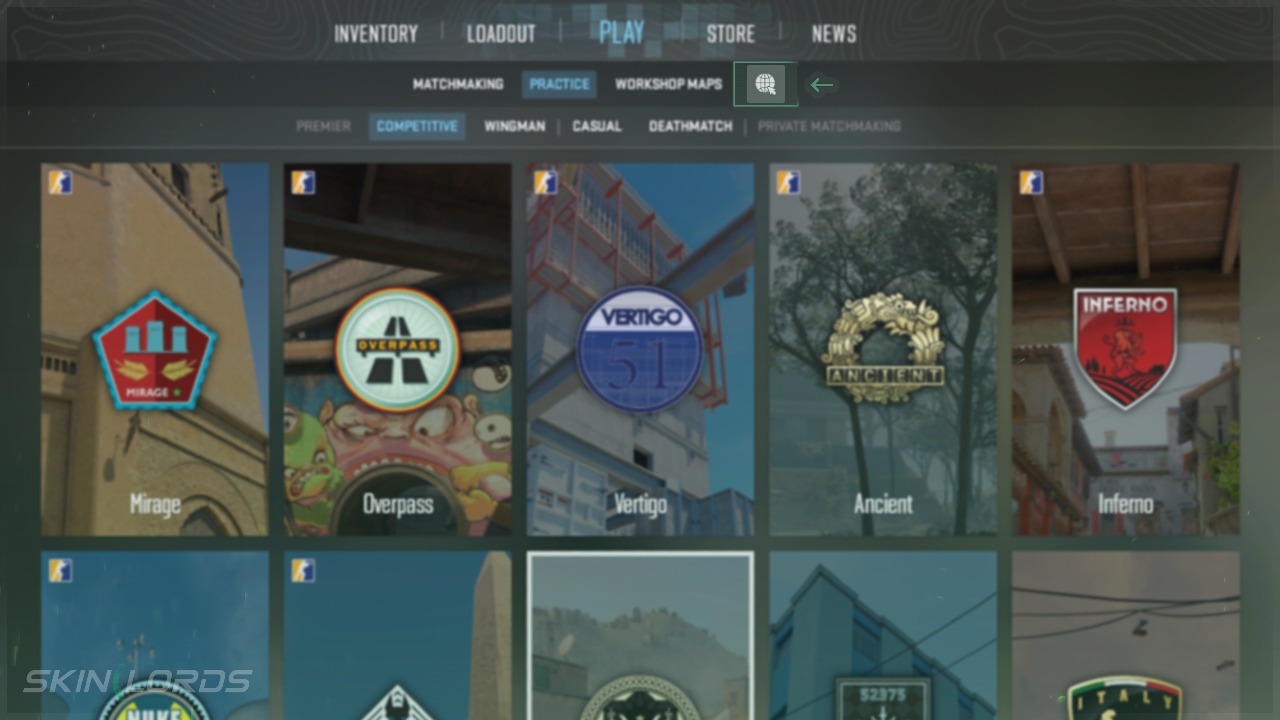
- Select Play, located in the upper menu
- Locate the globe icon in the menu below the Play button
- Click the globe icon to access the community server browser
Searching for a Specific Type of Server
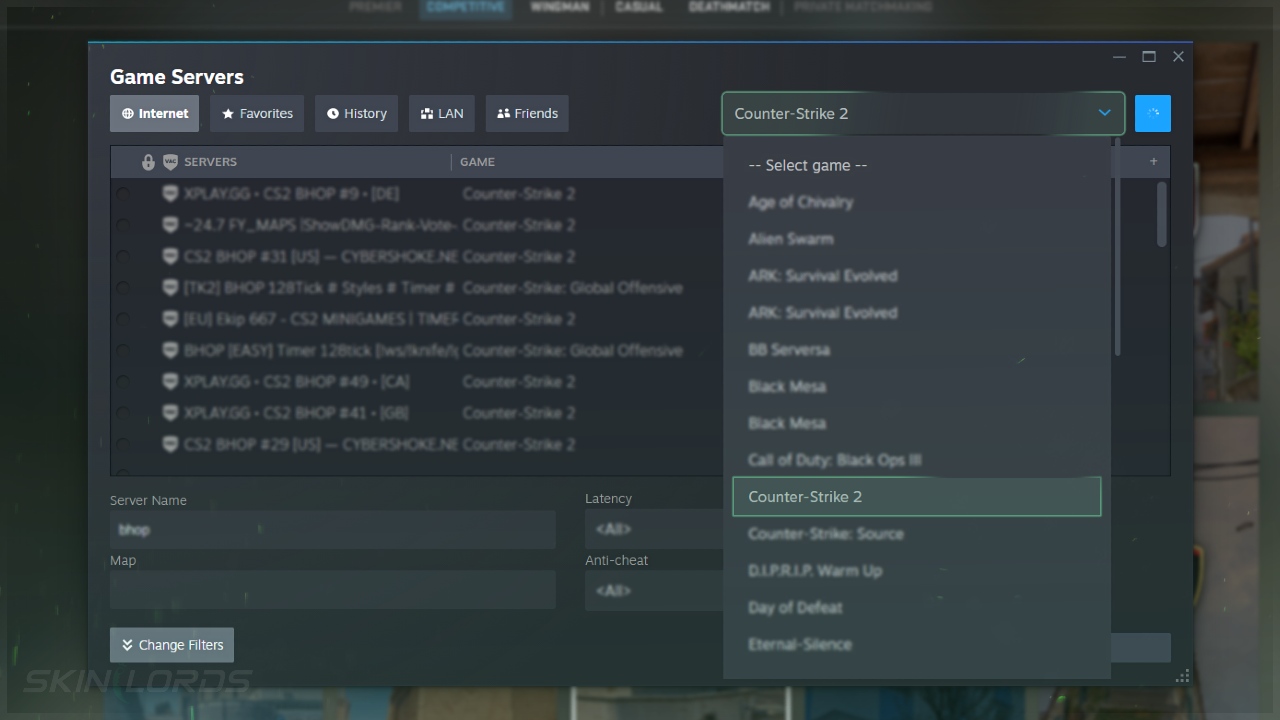
Counter-Strike 2 is not selected by default in the server browser. To choose it in the server browser, click the top-right dropdown menu, and find ‘Counter-Strike 2’ near the top of the alphabetical list.
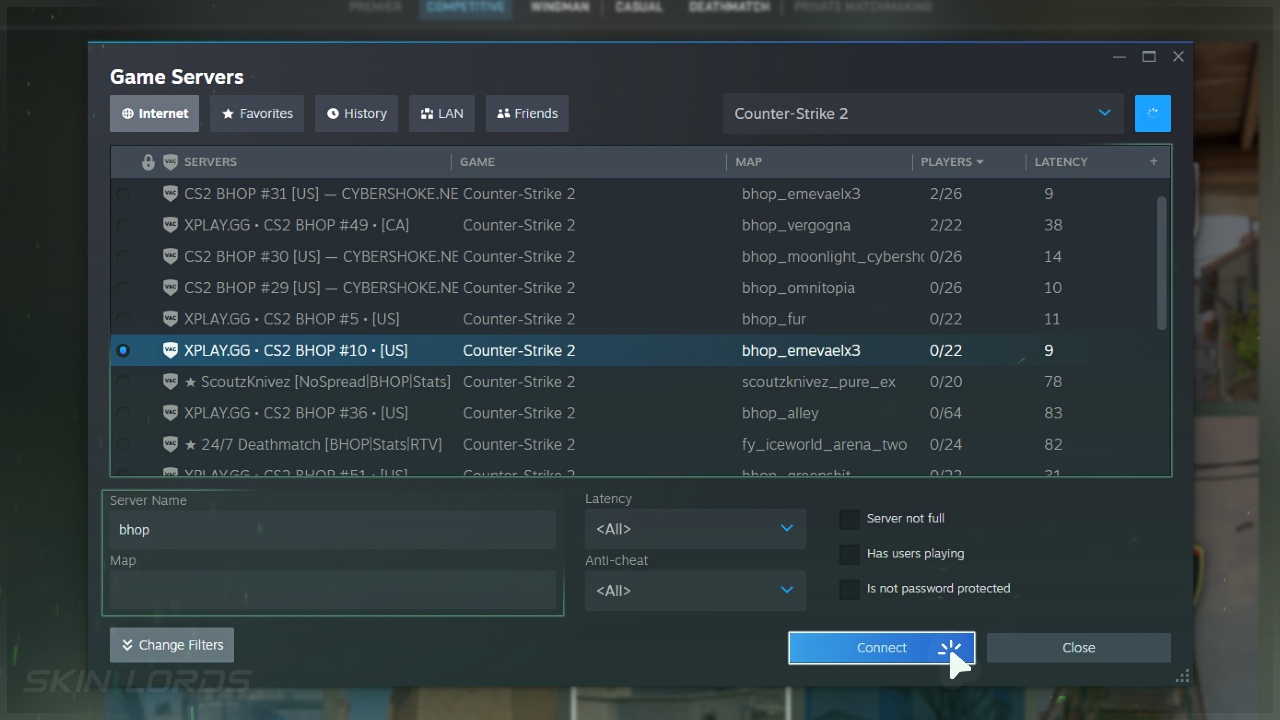
- Look for text boxes and search bars at the bottom of the server list in the browser
- Type any keyword to filter and show only servers or maps with that word
- For instance, if you type
surforbhopin the Map text box, only servers with surf or bunny-hopping maps will be displayed
- You can narrow down your server results by clicking the Players or Latency buttons. This lets you filter by the number of players or your connection speed to a server
Directly Connect to a Server Using an IP Address
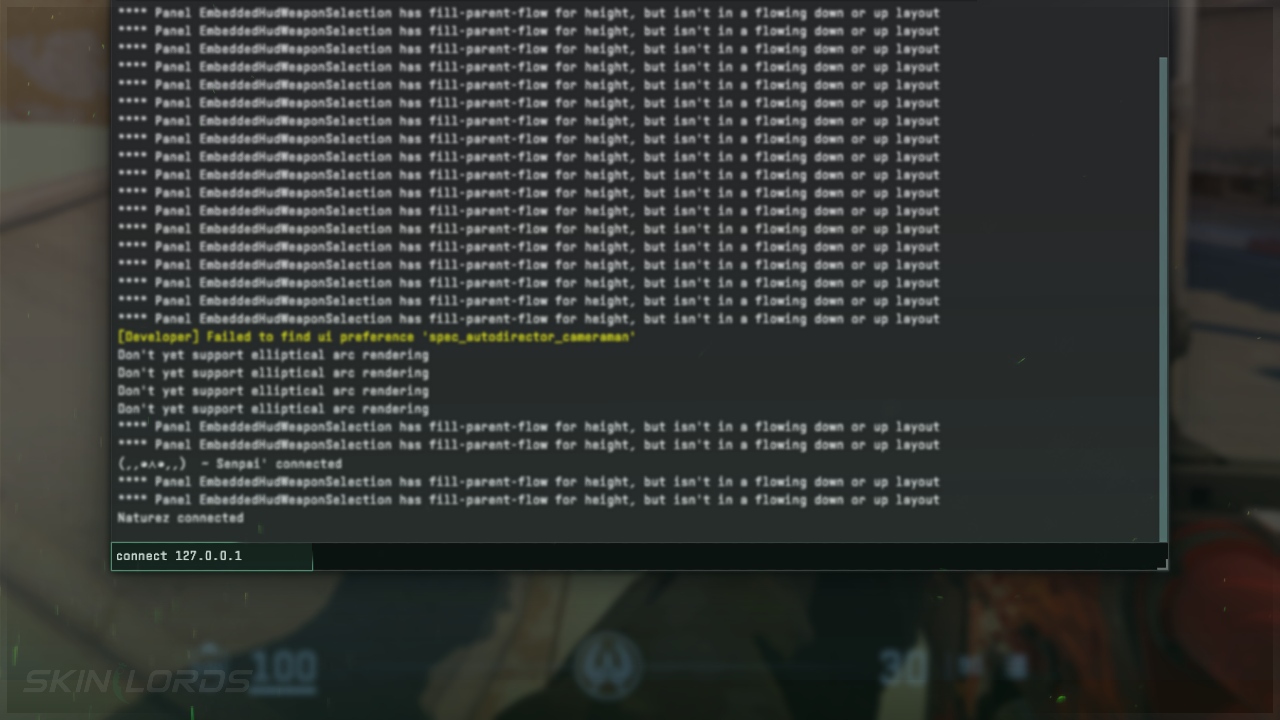
If you have the IP address of the server you want to join, you can skip the usual steps and connect to it directly using the Counter Strike 2 developer console.
- Open the Developer Console
- Type
connect 0.0.0.0- Replace “0.0.0.0” with the IP address of the server you intend to join
We hope this guide on navigating the community server browser in CS2 has been useful to you. If we missed any important information, or if you’ve encountered any issues while following the steps outlined in this guide, please feel free to comment below.

Leave a reply
Similar Articles
See all
Game Customization
How to Change CS2 Sniper Crosshair Thickness
04.16.2026
0
232
Game Customization
How to Disable CS2 Silencer Removal
04.16.2026
0
752
Related Casinos

 Stake
Stake
I use https://fragsy.com/EN/cs2-server-list to find cs2 servers
Philippines?