














































How To Create A Steam Group
Steam groups can be an absolutely fantastic way to bond with like-minded individuals or trade items within a tight-knit community. Unlike simple Steam group chats or Steam friends, Steam groups enable all group members to communicate with each other simultaneously, thereby fostering a Sense of community within the Steam platform.

Find more Steam Guides on our blog!
How to Create a Steam Group
-
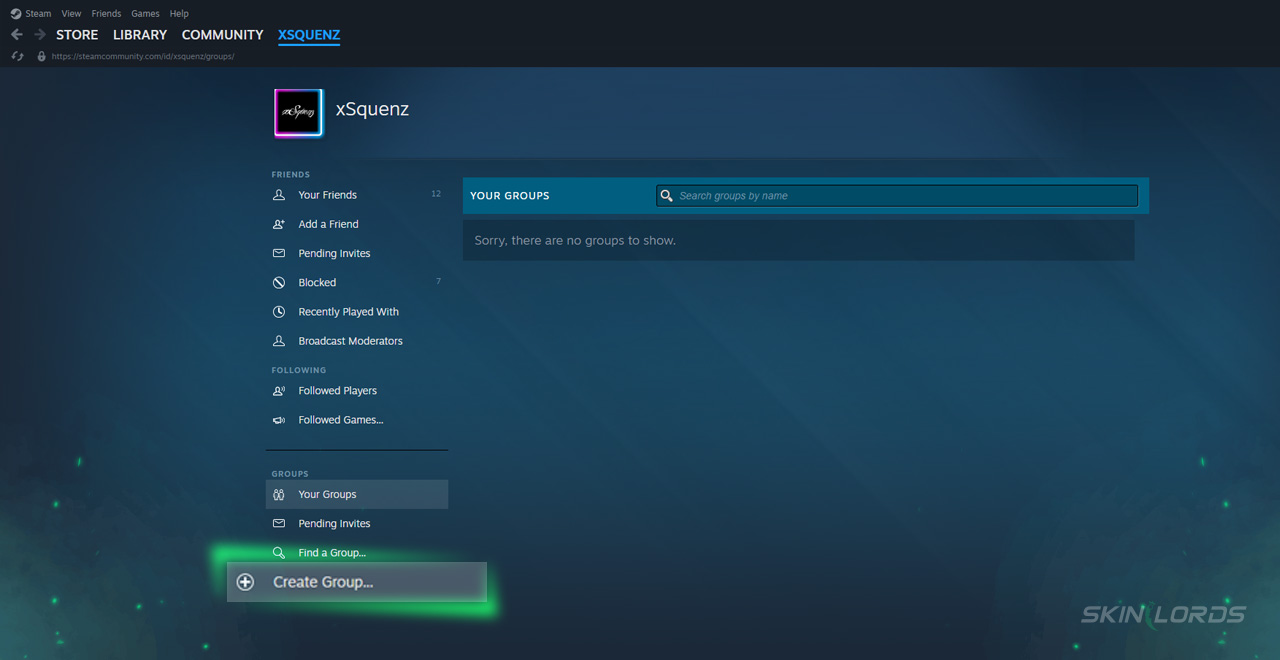
1Hover over your name on the Steam application, and click the “groups” drop-down menu In the bottom left, click the “Create Group” button
-
2In the bottom left, click the “Create Group” button
-
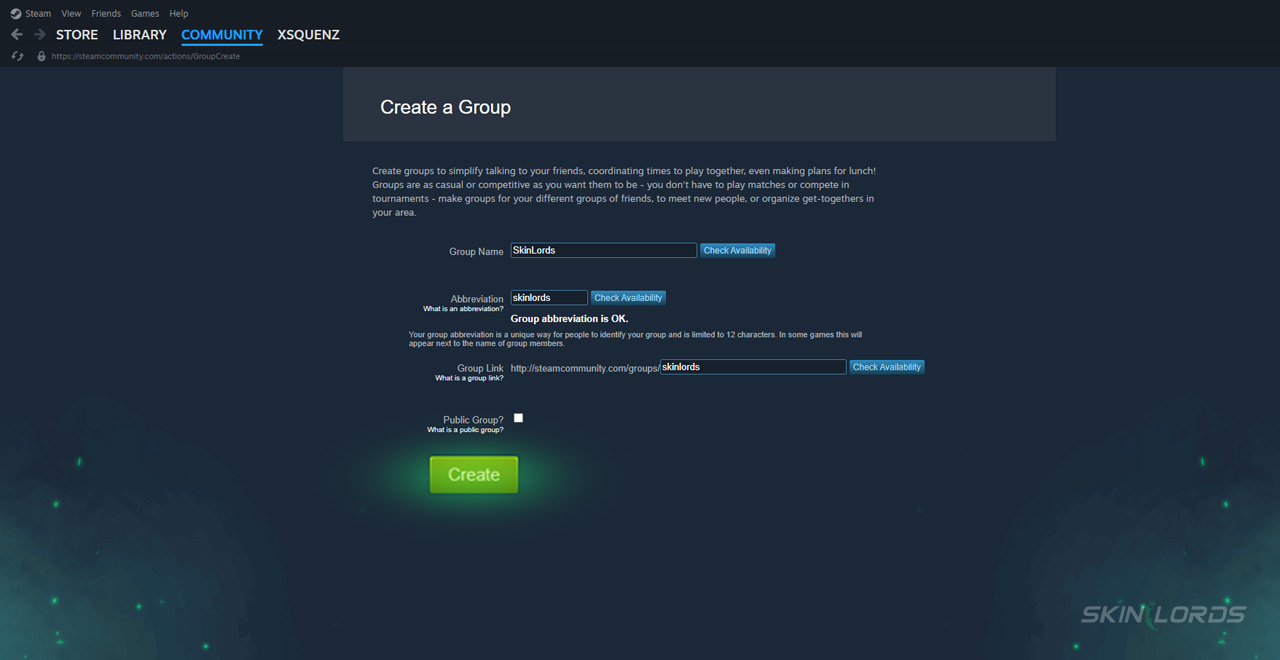
3Once in the “Creat Group” tab, choose a desired name, as well as a group abbreviation
-
4Fill out the Create a link section where “http://steamcommunity.com/groups__________” and create the link for the new group
-
5Finally, decide to make the Steam group either private or public. If you choose to make it a public group, anyone can join, so be cautious of potential unwanted group members
Designing Your Steam Group
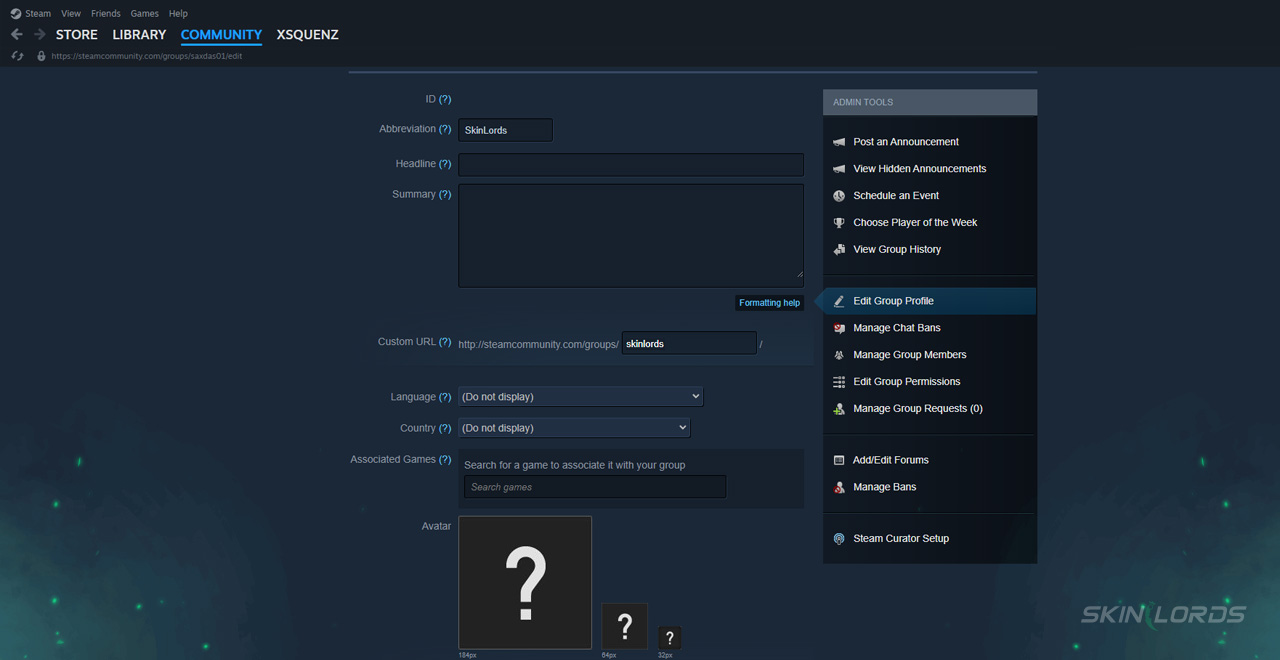
After completing the simple steps to start a new group, another page opens, allowing customization. The following can be set up:
-
1A group headline and summary through a simple text box
-
2Group language or countries, selectable using a drop-down menu
-
3Associated games, applied via a game search, any game on Steam can be set, and multiple games may be selected, for example you can select CS2 and Rust as target games for your group
-
4Group profile, available through upload from the group owner’s computer
How to Get New Members in Your Group?
Getting new group members can be particularly challenging in a newly created group; luckily, the Steam community is always prepared to support newcomers. Make sure to take advantage of all the customization options available, including as much relevant information about your group as possible. If needed, feel free to explore pre-existing Steam groups for inspiration on discussion posts and moderator formats. Don’t forget that you’ve just created a new group link unique to your group, so be sure to share it as much as you’d like to gain traction in the broader Steam community. Beware of other group members when necessary, and feel free to manage group members by creating moderator roles.
Steam groups are a fantastic way to create lasting bonds and form a community ideally suited to your interests or niche, especially when it comes to CS2! If you have found this helpful guide, please feel free to leave a comment below and let us know if there are any other Steam guides you’d like to see in the future.

Similar Articles
See all
Steam Guides

Valve Releases Steam Community Market UI Update in Beta Testing
08.23.2025
0
648
Steam Guides

How To View Steam Wallet Activity
08.18.2025
0
670
Related Casinos


 Stake
Stake
Leave a reply