














































How to Inspect a CS2 Teammate’s Loadout
In today’s article, we will walk you through inspecting a teammate’s loadout in CS2! Filled with a unique batch of weapons and even more unique skins, CS2 is a game highly customizable to each and every player. Whether you want every shotgun equipped and an auto sniper, or the best of the best weapons, CS2 allows you to design your loadout exactly to your liking!

Check out more CS2 gameplay and settings guides on our blog:
Why Inspect Another Player’s CS2 Loadout?
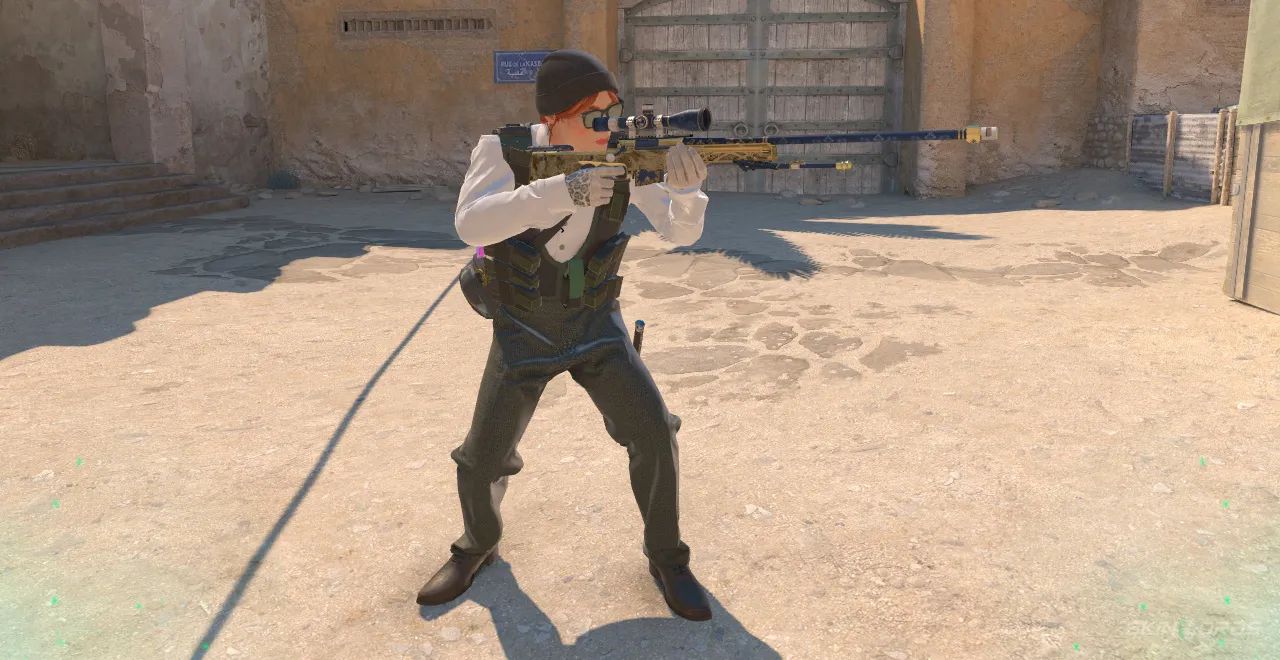
It is no longer like the past, where there were only a few hundred skins and stickers in the game. With hundreds of cosmetics, identifying a weapon skin can be quite difficult, especially if it’s only seen for a brief moment. Inspecting a teammate’s loadout is a fantastic way to take a peek at the weapons they have equipped, as well as viewing the beautiful skins they might own.
How to Inspect a CS2 Player’s Loadout
Inspecting a teammate’s inventory is actually quite easy and quick; you might have done it by accident before without even noticing! Simply:
- Be in an active game of Counter-Strike
- When spectating a Teammate (or player), click “F”
- Once F is pressed, the player’s entire loadout should appear
- Individual weapon skins, conditions, and stickers can be further viewed by selecting the weapon you’d like to look at

Perfect for viewing that strange skin you’ve never seen before, getting loadout inspiration, or even planning team economy purchases, adding this little trick to your tool book is extremely beneficial. Get out there, and instead of playing on your phone between deaths, inspect your teammates’ loadouts! If you have enjoyed this article and would like to see more CS2 bind settings like it, feel free to leave a comment down below on the setting or trick you’d like to see covered next.

Similar Articles
See all
Guides
Which CS2 Cases Have Bloodhound Gloves?
07.31.2026
0
32
Guides

Every CS2 Skin With A Blue Gem Pattern
07.31.2026
0
42
Related Casinos

 Stake
Stake
Leave a reply