













































How to Change CS2 Player Ping Settings
In this article, we will take a look at how you can change your CS2 player ping settings for the best experience possible. Ever heard that continuous annoying noise when trying to clutch a round? Teammates spamming a location ping can not only be annoying but also detrimental to your competitive experience, as it can break your focus.

Check out more CS2 settings and gameplay guides on our blog:
What are CS2 Player Pings?
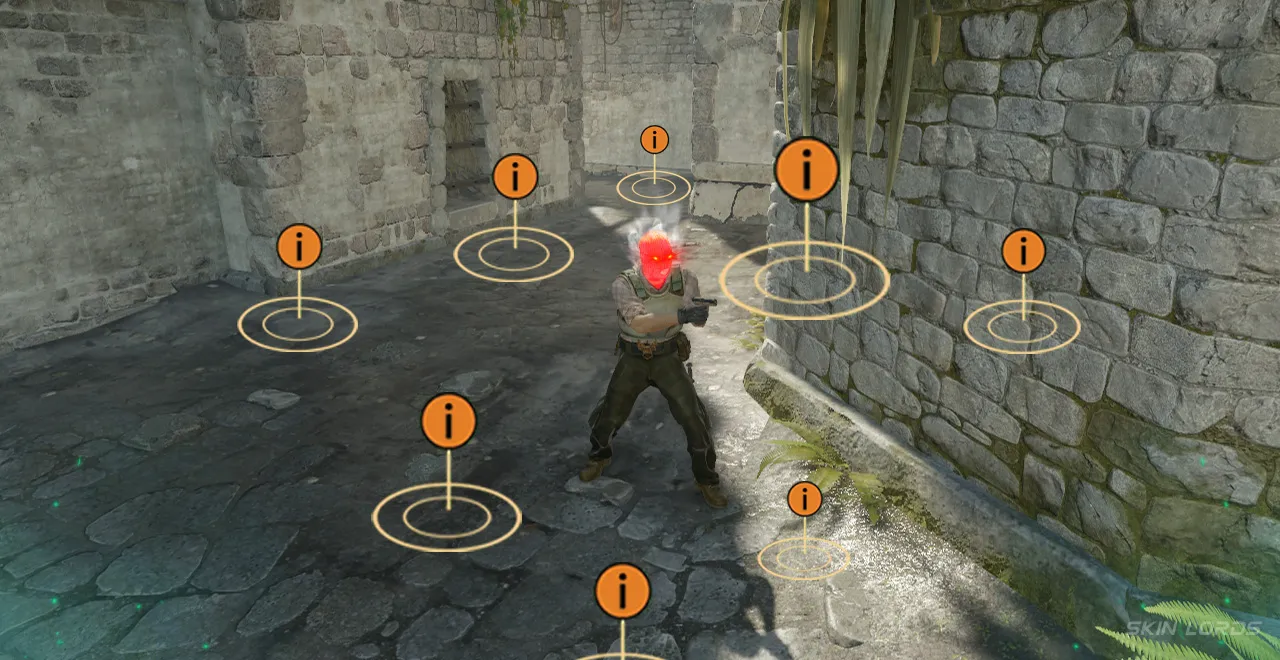
Player pings are a communication tool added to Counter-Strike in early 2019 to mark locations for teammates. A simple click to point a teammate’s attention to an area to stand, or even a double click to indicate danger, these pings were added to the game with only the best intentions in mind. Known for the distinctive noise they make, player pings have become an integral part of communication for many players.
Why Change CS2 Player Ping Settings?
Unfortunately, pings are often used for purposes other than the developer’s intended use. Often used as a way to spam a location, annoy teammates, or even distract players in tight situations. The quick explanation is simply to improve your CS2 mental, especially in a competitive environment.
How to Change Player Ping Settings
Changing your ping settings will take mere minutes, simply:
- Launch CS2 and locate the settings wheel in the top left corner of the main menu
- From the general settings menu, click the GAME tab
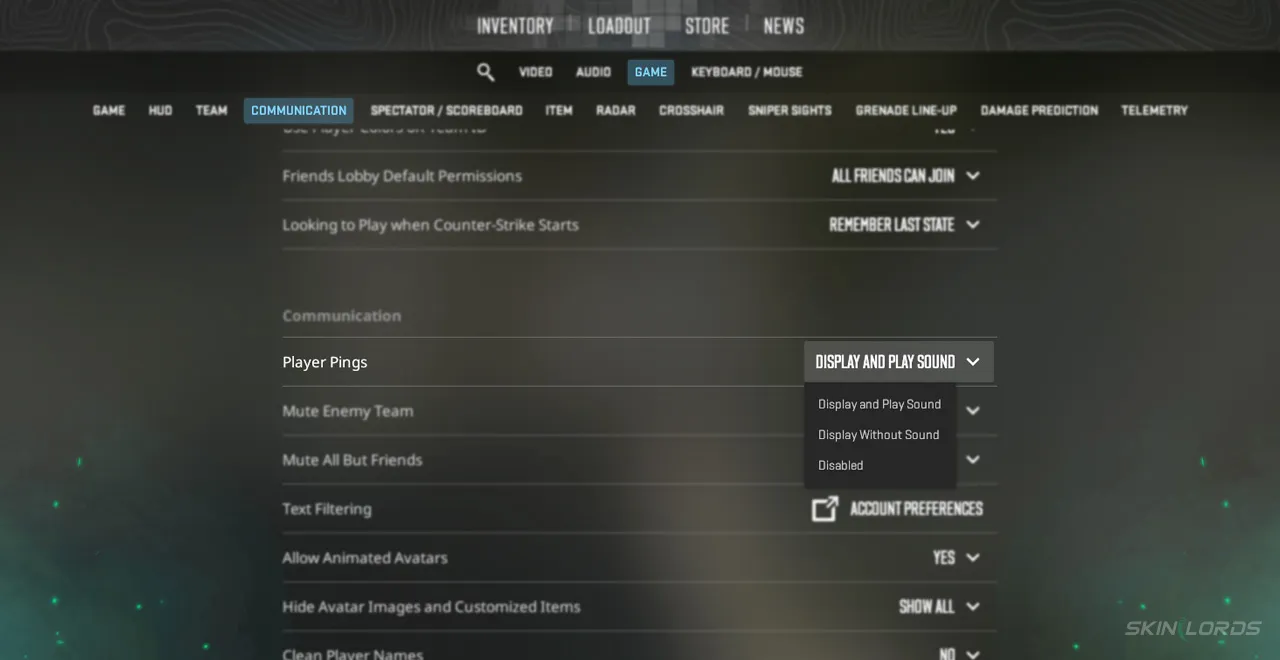
- Once in the game tab, click the lower “Communication” section
- Within communication settings, there is a setting titled “Player Pings.”
- To turn off Player Pings, simply select the “DISABLED” option, or to eliminate the famous ping noise, change the mode to “Display without sound.”
For many people, player pings can be a nuisance that affects them for years; change that simple distraction today. Whether it’s turning off sound for a match or even eliminating sound forever, changing your CS2 player ping settings to something you like will be nothing but beneficial.

Similar Articles
See all
Guides
Which CS2 Cases Have Bloodhound Gloves?
07.31.2026
0
32
Guides

Every CS2 Skin With A Blue Gem Pattern
07.31.2026
0
43
Related Casinos

 Stake
Stake
Leave a reply