













































How to Change CS2 Chat Filters
In today’s article, we’ll walk you through how to change your CS2 chat filters for the best possible CS2 experience! In a game filled with competitive play, emotions can get heated, and tempers can most definitely flare.

Check out more CS2 settings and gameplay guides on our blog:
Why Change Chat Filters
Toxicity is not new to the gaming industry, and Counter-Strike is no exception. At times associated with a somewhat toxic playerbase, CS2 chats can get unfriendly and unforgiving. Racial profanities and other such slurs are simply things that you shouldn’t be forced to accept in order to play a simple game of Counter-Strike.
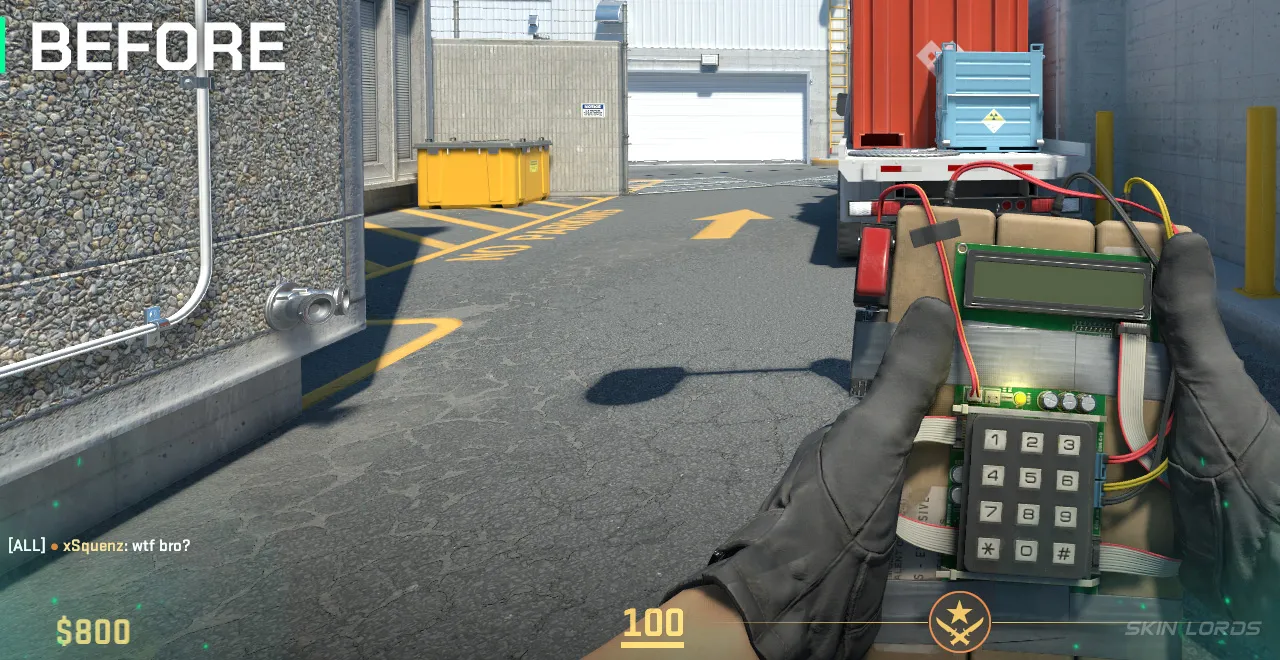
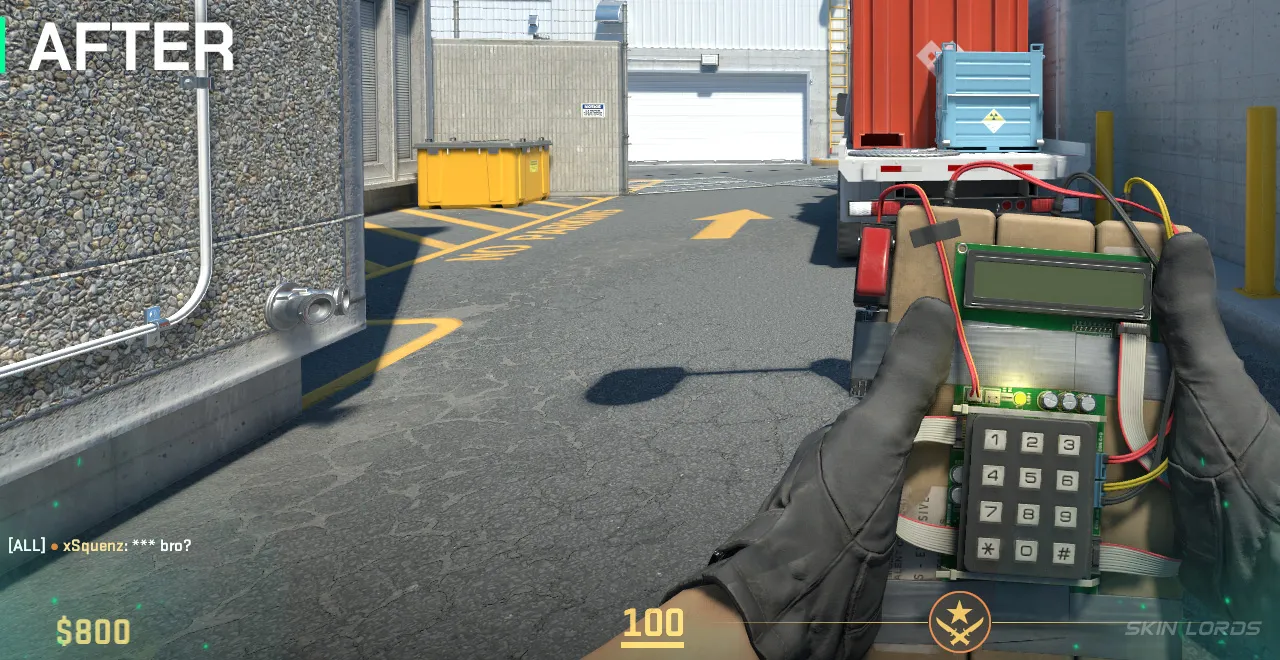
Changing chat filters can go both ways: you can either open yourself to the full range of online chat messages, allowing for more genuine connections, or put yourself in the face of potential harassment. On the other hand, changing your chat filters to those that prevent you from not only distraction, but potential mental harm is not only a smart decision, but one that might benefit aspects of your gameplay.
How to Change CS2 Chat Filter Settings
- Launch CS2 and locate the settings wheel in the top left corner of the screen
- Under settings, select the “game” tab
- Once in game settings, locate “communication”, and under communication “, text filtering
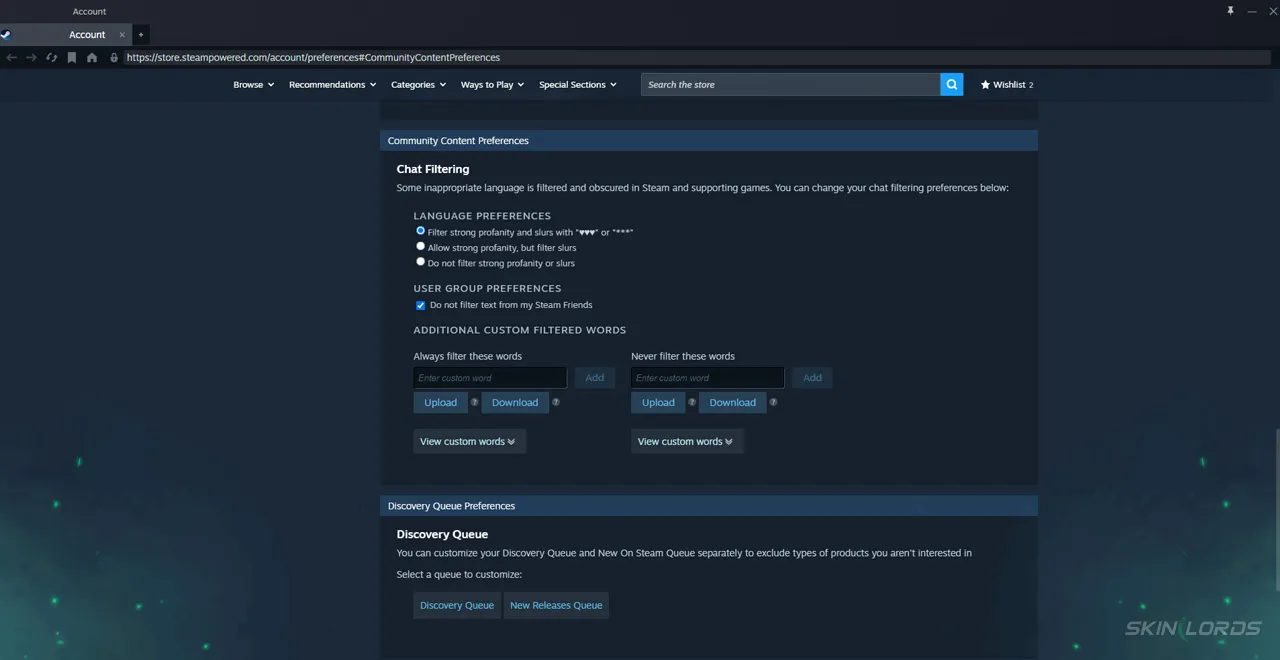
- Open the external Steam link, which takes you to your Valve account preferences
- In account preferences, a chat filtering section is opened, and specific levels of profanity can be selected
Whether you don’t want to see those little star censor symbols anymore, or you’d like to see less vulgarity in your casual games, changing your chat filter settings is always a smart decision. If you have enjoyed this article and would like to see more setting guides like it, feel free to comment on the settings you’d like to see covered next!

Similar Articles
See all
Guides
Which CS2 Cases Have Bloodhound Gloves?
07.31.2026
0
32
Guides

Every CS2 Skin With A Blue Gem Pattern
07.31.2026
0
42
Related Casinos

 Stake
Stake
Leave a reply