













































How to Change CS2 Buy Menu Donation Key
In this article, we will look at how to change your CS2 buy menu donation key. Being a competitive team-based shooter, CS2 requires, obviously, a large amount of teamwork if you desire to see any success. Dropping weapons to teammates is not only something you will inevitably need to do, but something you will need to learn to do quickly.

Check out more CS2 settings and gameplay guides on our blog:
Why Change Buy Menu Donation Key?
This sort of setting change definitely falls into the quality of life category. Not having an exact effect on player performance, changing your donation keybind is simply a matter of quality of life. Changing your key to something more comfortable for you can have a more positive effect than you think, starting the round off right without the need for awkward button-mashing.
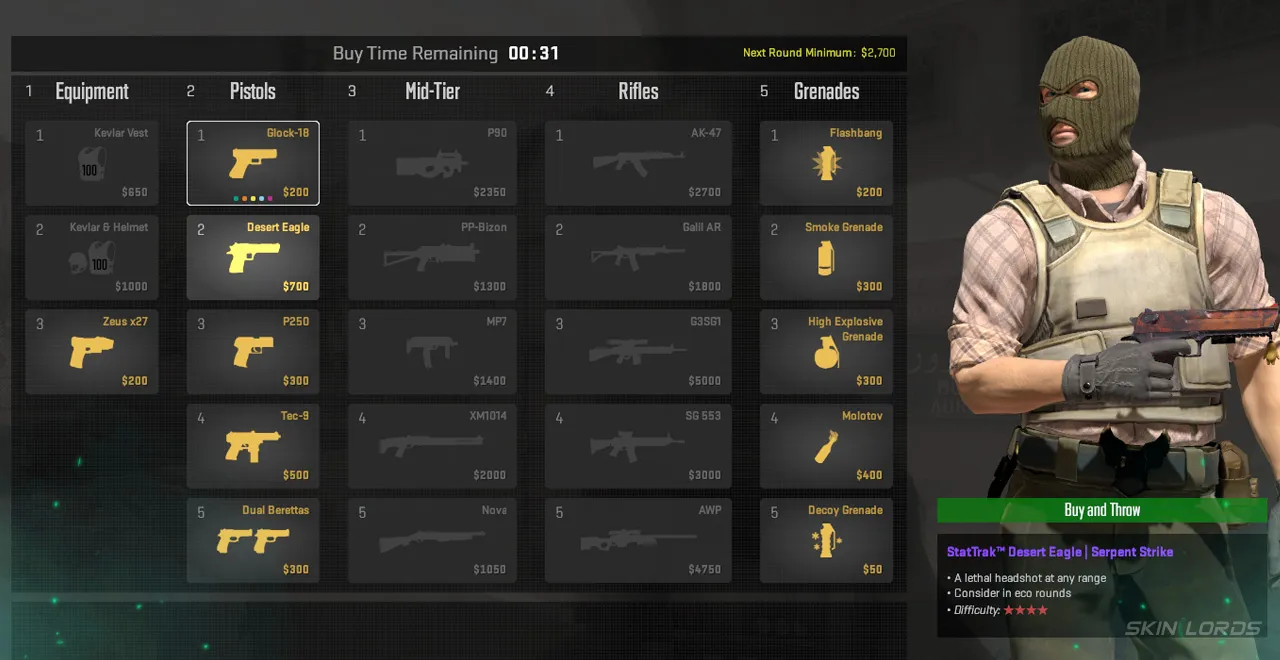
How to Change the CS2 Drop Weapon Key
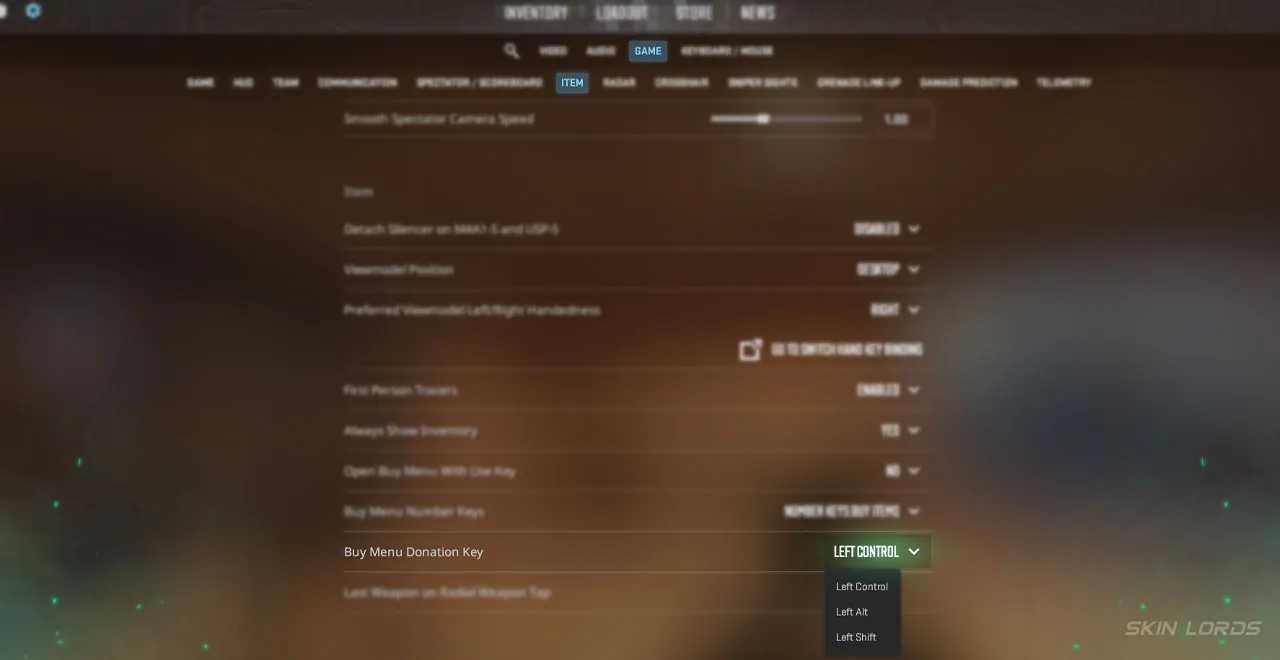
Changing your buy menu donation key in your CS2 settings is beyond easy. Simply:
- Launch CS2 and locate the settings wheel in the top left of the menu screen
- Once in the settings menu, find and select the “Game” tab
- Within the Game tab, select the “item” menu
- Locate the specific setting “Buy Menu Donation Key.”
- Once this setting is found, choose between Left Control, Left Alt, and Left Shift, choosing the most comfortable button for you and your setup
Just like that, you have customized your settings! Changing binds like this, especially ones that don’t get used every round, can be a bit of a mind boggle at first, but the comfort in the long run is well worth your effort! Additionally, you can change your settings on the fly with these quick, easy steps for next time. If you have enjoyed this article and would like to see more like it, feel free to leave a comment down below on the settings you’d like to see covered next.

Similar Articles
See all
Skin Guides
Which CS2 Cases Have Hydra Gloves?
07.31.2026
0
30
Skin Guides
Which CS2 Cases Have Bloodhound Gloves?
07.31.2026
0
32
Related Casinos

 Stake
Stake
Leave a reply