


























Everything to Know About Float (Wear Rating) in CS2: What it Means and How it Works
If you’ve ever owned a CS2 skin, or are even somewhat familiar with the CS2 skin economy, you have probably heard the term “float” or “wear rating” thrown around at some point. CS2 float value plays a massive role in a skin’s appearance, value, and overall demand, and understanding how it works is essential to understanding CS2 skins and the CS2 skin economy. That said, float and wear ratings can be confusing, and Valve doesn’t do a great job explaining how floats work in CS2. That’s why we created this comprehensive guide to float value and wear rating in CS2, including what they mean, how they work, and how they affect the appearance and value of CS2 skins.

Check out more CS2 skins content on our blog:
Is Float The Same as Wear Rating?
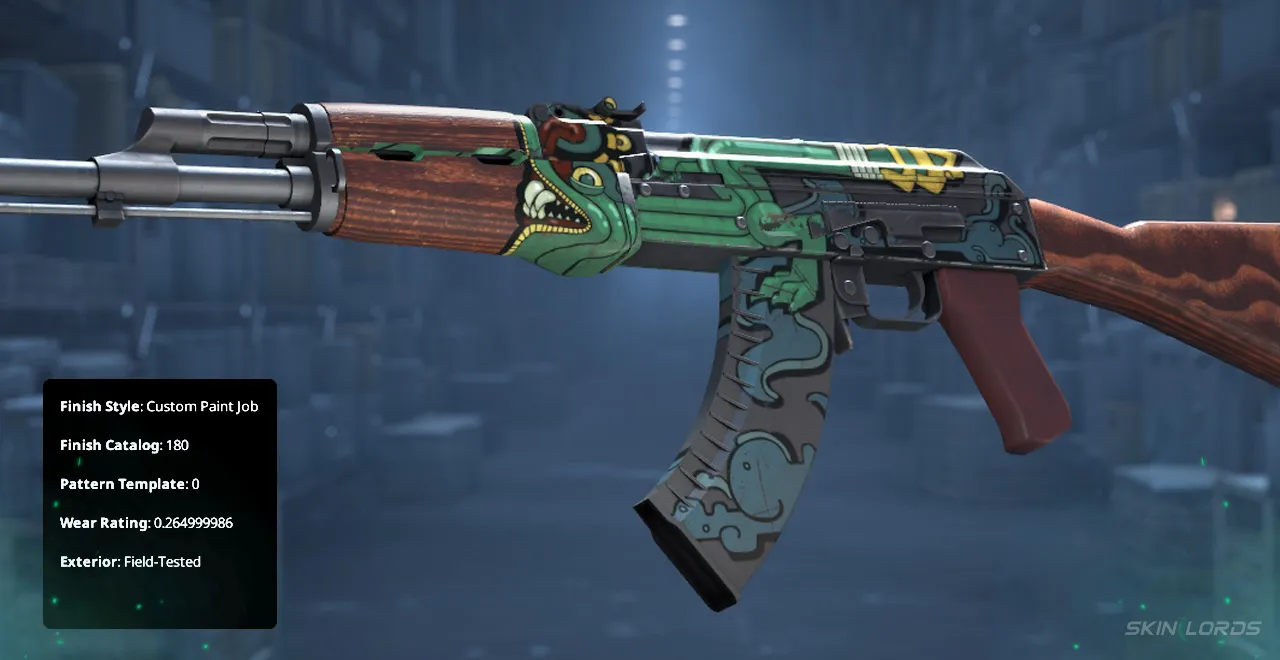
Yes. A CS2 skin’s Wear Rating is the same as its “float” value. Wear Rating is the official name given to the value in the CS2 user interface, and you will often find it called that on CS2 marketplaces. However, in the underlying data for wear rating and wear levels, the value is actually called a “float,” and that is what most CS2 skin collectors and traders refer to it as.
Why is CS2 Wear Rating Called Float?
If the game’s official term is wear rating, then how did float become the common term used by the CS2 skin community? Aside from its use in developer files, “float” is a general term in computer programming for a floating-point number, a data type used to represent real numbers with decimal points. So, since float is a common term in programming and quicker to say than wear rating, it caught on and has been the primary word used for over a decade, so much so that one of the largest CS2 skin marketplaces in the world includes “float” in its name: CSFloat.
How Does Float (Wear Rating) Work in CS2?
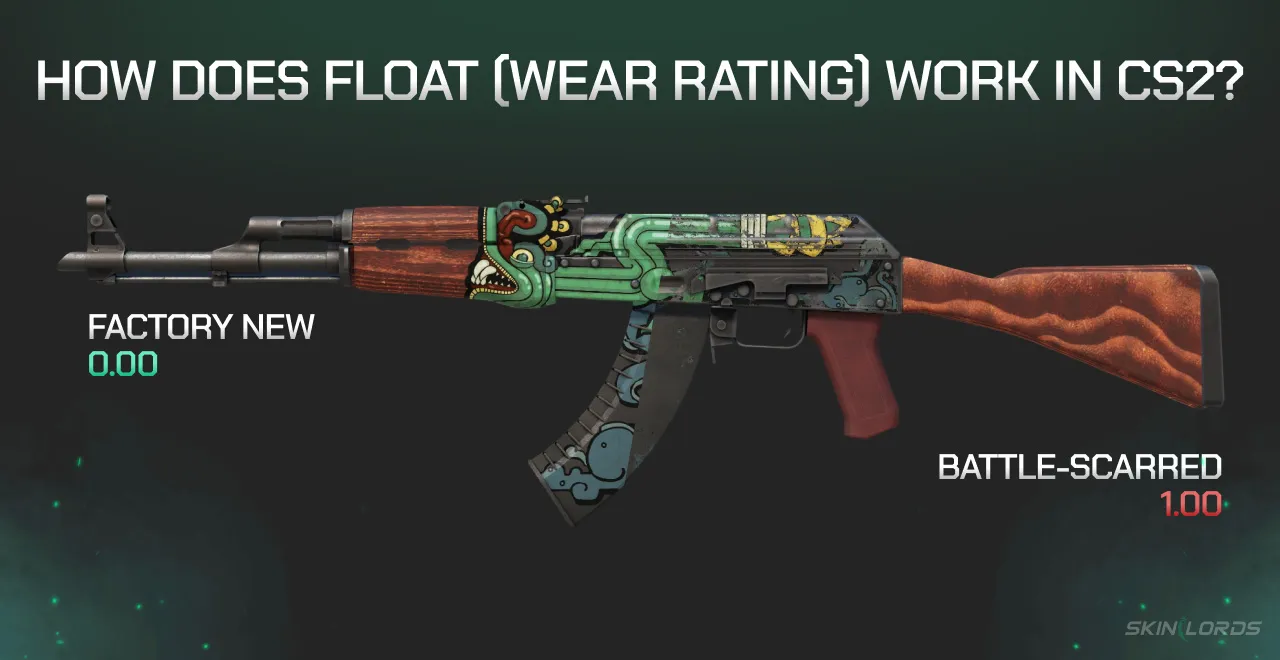
When a CS2 skin is created by opening a case or terminal, getting dropped from weekly drops, opening a souvenir package, trading up, or purchasing from the armory, it is always given a wear rating and wear level. Wear rating is an eight-digit decimal value ranging from 0.00 to 1.00, and the wear level is a corresponding category, ranging from Battle Scarred to Factory New, that describes the skin’s wear tier.
The float value determines how worn a CS2 skin looks. Unlike cosmetics in most games, CS2 skins don’t always look the same, and they rarely look pristine. Instead, CS2 skins come with flaws like paint chips or scratches, faded designs, and areas with less color. This makes each skin unique and creates a secondary value factor: skins with fewer flaws that more closely match the original design have higher demand and, therefore, more value.
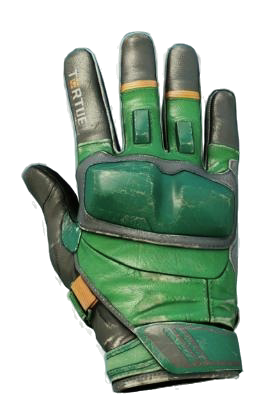
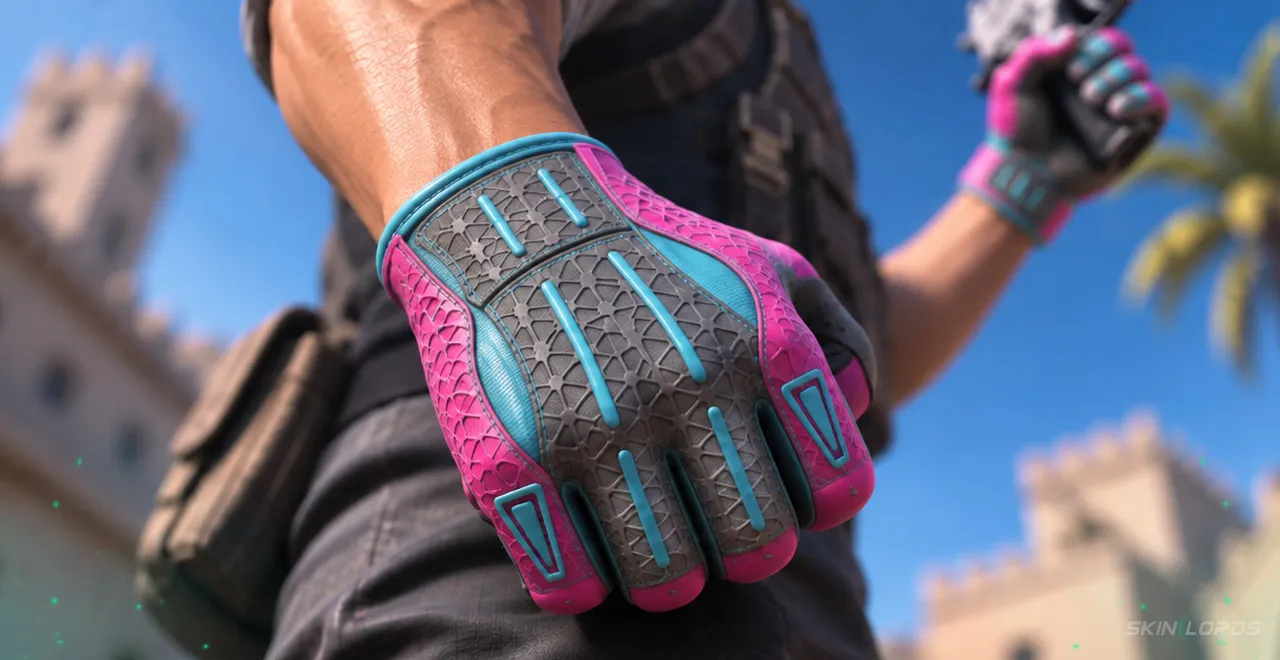
The closer the float value is to 0.0000000, the cleaner and more flawless it will look, and the closer it is to 0.9999999, the more worn, scratched, chipped, and damaged it will look. Some skins, however, do not work on a perfect range from 0 to 1. Many skins are created with their own set range of values; for example, CS2 gloves have a possible float range of 0.06 to 0.80. This is called a float cap; the skin’s possible float values have a set cap or limit on them that cannot be exceeded.
Do CS2 Skins Wear?
No. This is a common misconception among new CS2 skin collectors and players. Using a CS2 skin in-game does not cause it to wear, and there is no way for a CS2 skin’s float value to change at any time. Once the value is given to the skin when it is created, that value is permanently attached to the skin.
How do Wear Levels (Float Levels) Work in CS2?
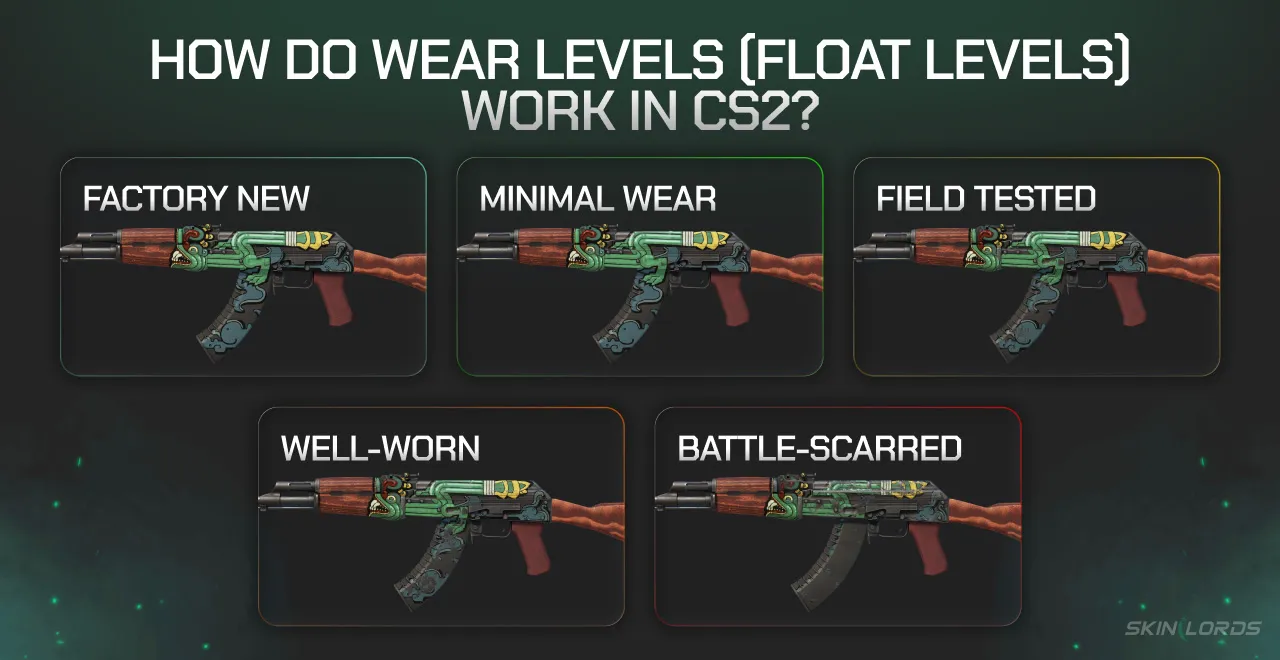
To make CS2 wear ratings simpler and more generalizable, CS2 separates wear ratings into 5 conditions, or levels. These wear levels matter because skins are categorized separately by condition; the AK-47 | Case Hardened (Factory New) is a completely different item from the AK-47 | Case Hardened (Minimal Wear). Each wear level has a corresponding float range, which separates the skins by general appearance.
What are the CS2 Wear Condition Float Ranges?
CS2 conditions range from Factory New (low float, minimal flaws) to Battle Scarred (high float, many flaws), allowing skins to be categorized by overall wear and appearance. Note that float value ranges are rounded to the nearest 0.01, but wear levels end at the value before. For example, while the Factory New float range is 0.00 to 0.07, the exact float range is really 0.0000000 to 0.0699999, and a skin with an exact float value of 0.0700000 is technically Minimal Wear.
| Condition | Float Range | Appearance |
|---|---|---|
| Factory New | 0.00-0.07 | Flawless or near flawless |
| Minimal Wear | 0.07-0.15 | Minor flaws, but original design is mostly preserved |
| Field-Tested | 0.15-0.38 | Average, some scratches and chips, but the design is still visible |
| Well-Worn | 0.38-0.45 | Skin looks quite worn; the design is hard to make out |
| Battle-Scarred | 0.45-1.00 | The skin has more flaws than preserved design |
Note that while there are only 5 wear conditions, the float value can take billions of possible numbers, so not every skin in each condition will look the same. For example, two of the same skins with floats of 0.45 and 0.99 are both considered Battle-Scarred, but the latter will be significantly more worn and have far more flaws than the former.
How Does CS2 Determine Float Value?
Float value is determined by the game’s system via a combination of 32-Bit generation and IEEE-754 translation. When a weapon skin is first created via unboxing, drop, or trade-up contracts, the game engine generates a random, uniform 32-bit integer ranging from 0 to 2,147,483,647 (2 to the 31st power). That means there are technically 2,147,483,648 possible float values in CS2! Then, the engine takes that integer and divides it by the maximum possible value (2,147,483,647) to map it to a floating-point decimal value on the IEEE-754 floating-point scale. Technically, this should range from 0.0000000000… to 0.99999999999…, but because 32-bit floats represent the largest number strictly less than 1, the highest possible float value is actually 0.999999988079.

How Do Float-Capped CS2 Skins Work?
Float-capped CS2 skins are skins with set float ranges smaller than the range of 0.00 and 1.00 (such as CS2 gloves, which range from 0.60 to 0.80, making Factory New gloves very rare). Since they have a different range, they have proportionally smaller pools of possible float values, because the engine filters out generated numbers that fall outside the skin’s custom limits.
What are The Odds of Unboxing Different Wear Conditions?
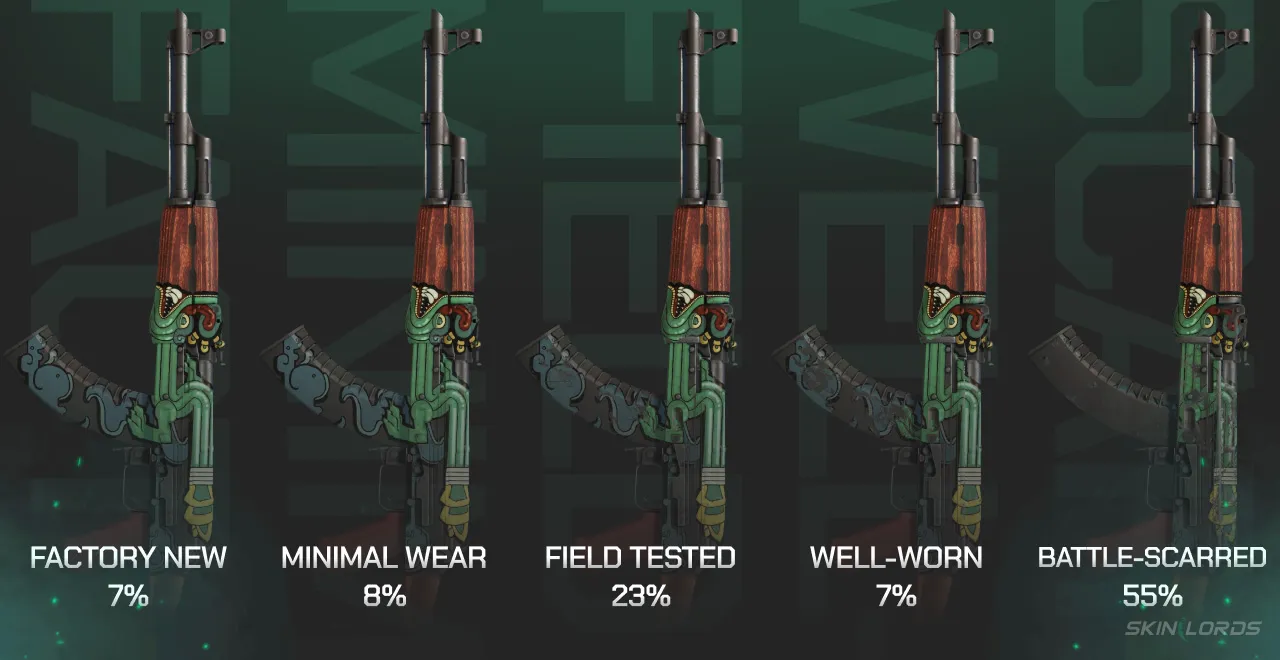
The odds of getting certain float values and conditions depend on whether the skin is float capped or not. Non-float-capped skins with a complete range from 0.00 to 1.00 have odds that match the float ranges, meaning the odds of getting a skin in Factory New condition are 7%, Minimal Wear is 8%, Field Tested is 23%, Well Worn is 7%, and Battle Scarred is 55%.
However, this becomes untrue and much more complicated with float-capped skins. Because they dont have the normal range from 0 to 1, the odds are completely different. For example, Doppler knives have a tiny float range from 0.000 to 0.008, making the only possible outcomes Factory New and Minimal Wear, but only around 1/8th of unboxed Doppler skins fall in the Minimal Wear condition range, so there is a roughly 87.5% chance of getting a Factory New Doppler knife, and only a 12.5% chance of getting a Minimal Wear Doppler knife. Since so many skins have various float caps, it’s impossible to give comprehensive odds of unboxing different wear conditions.
How Do Float and Wear Condition Affect CS2 Skin Value?
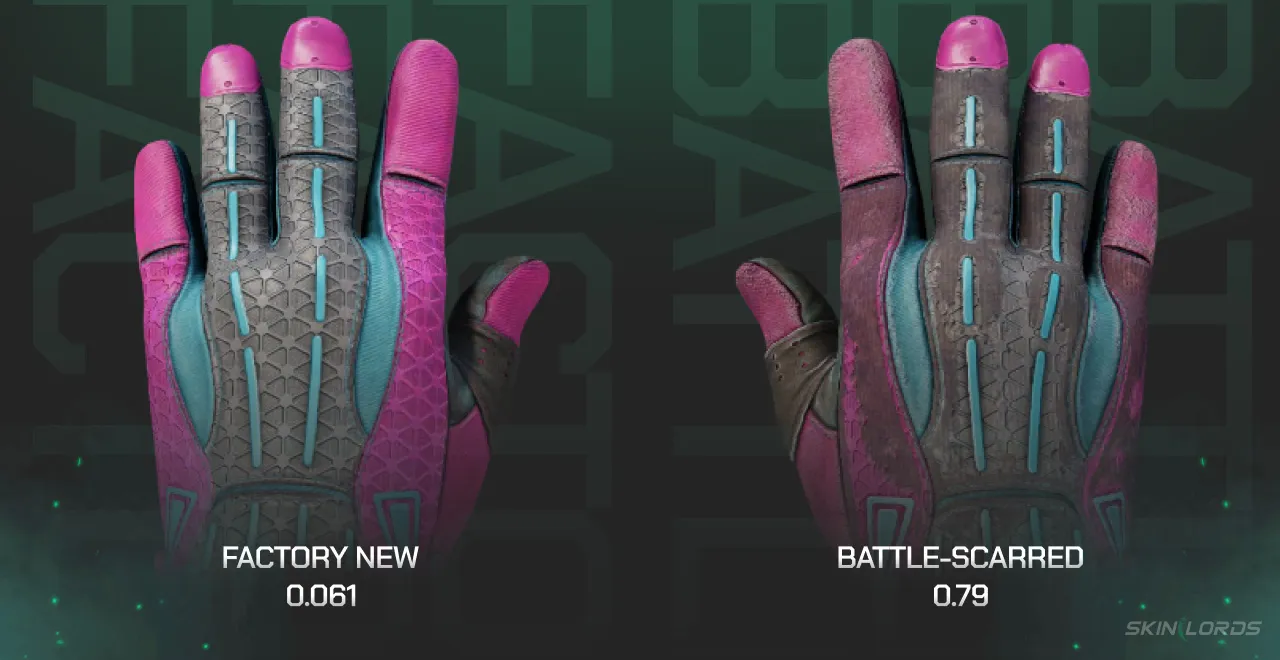
Float value is the biggest factor in differentiating individual CS2 skins. In terms of skin type, two pairs of Sport Gloves | Vice are identical, but if one has a float of 0.061 and the other has a float of 0.79, the difference in price is roughly $5000. We’ve broken down a few of the ways that float affects CS2 skin value.
General Rule: Lower Float, Higher Value
People prefer skins that are cleaner and have fewer flaws, so generally speaking, Factory New skins are almost always the most expensive, and as you go down the list of conditions, the skins get cheaper. This is true for almost every CS2 skin, and it’s easy to see on marketplaces, with most skins costing 3-5x as much in Factory New condition as in Battle Scarred condition.
Added Value for Multiple Zeros or Nines
Skins with very low or very high floats, like 0.00001 or 0.99995, often sell for more than the normal Factory New or Battle Scarred price. Many collectors, high-tier sticker crafters, or people getting skins for trade-up contracts try to get very low-float or high-float skins. That said, skins with extremely low or high floats are less liquid than more normal skins in their respective condition tiers, so don’t expect to instantly sell a skin for double the price just because it has a few extra zeros.
#1 Lowest and #1 Highest Floats
The lowest and highest floats for specific skins are extremely sought after, and thus very valuable. Many collectors aim to get the #1 lowest or highest floats for their favorite skins, and it’s not just the #1. Since players can see float ranks on sites like CSFloat, even a 5th-lowest or highest-float skin is worth way more than a basic Factory New or Battle Scarred skin. It gets even crazier with higher-tier items: for example, the #1 lowest float AWP | Dragon Lore is worth over $100,000, more than 10x the cost of a basic Factory New AWP | Dragon Lore.
“Meme” Floats
Meme floats are numbers that are popular jokes in the gaming community, such as 0.069, 0.420, or 0.1337. Some players target specific meme floats, and skins with these floats frequently sell for slightly, or occasionally significantly, more than skins with nearly identical floats that are just 1 number short of being a meme float. That said, meme float skins are probably one of the least liquid niche collector items in CS2, and if you buy one with intent to sell, be prepared to wait a while until you find a cultured collector willing to pay the price for the funny number.
Famously, between 2017 and 2024, the #1 lowest float AWP | Dragon Lore had a float of 0.0000133742069. This skin was perhaps the greatest CS2 skin ever created; not only was it the iconic AWP | Dragon Lore, but it had the lowest float of all AWP | Dragon Lore skins in existence, and not only did it have a float with 4 zeros and only one meme number- it had 3! The skin was eventually beaten by Sparkles in 2024, but it remains one of the greatest pieces of CS2 skin history, and when it was first crafted, many joked that someone had finally “beat the game” of CS:GO (CS2) skins.
How to Check CS2 Floats
Now that you know everything there is to know about floats, you may want to check some of your skins, your friends’ skins, or skins that you see on marketplaces to see if they may have some extra value. Depending on who owns the skin and what you are trying to do, there are a few ways to check CS2 skin floats.
Checking Floats in Your CS2 Inventory
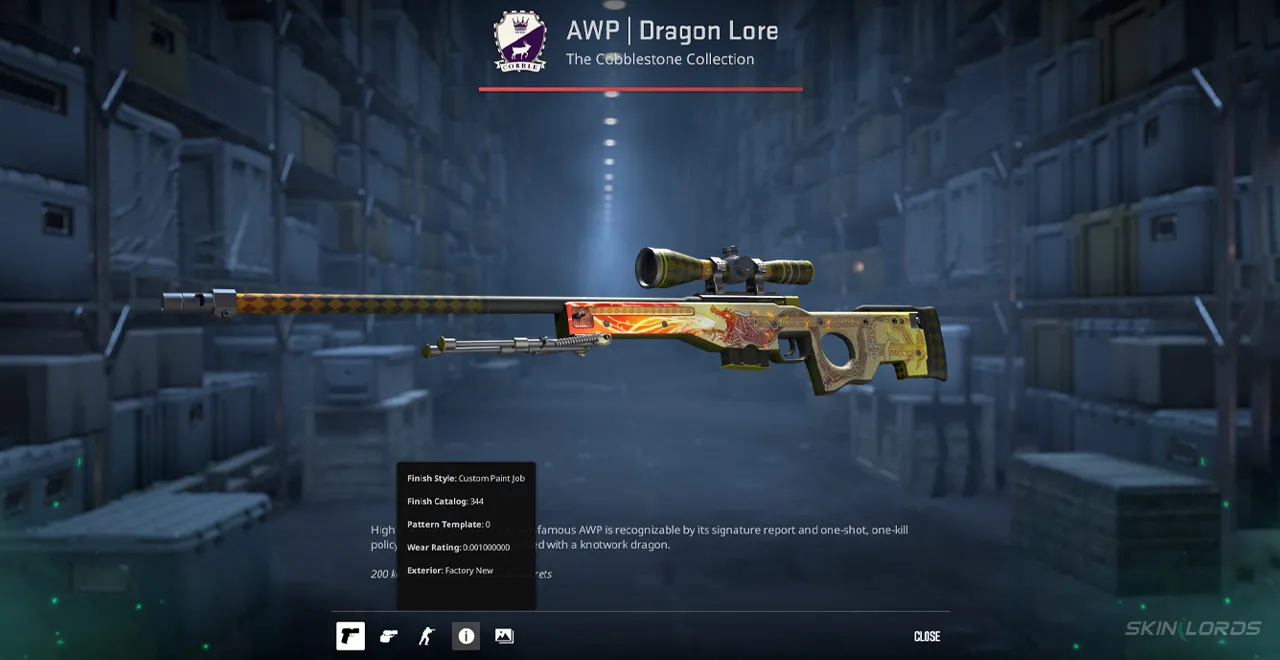
If the skin you want to check the float of is in your inventory, just right-click the skin in your inventory and click the Inspect button. This opens a pop-up with the skin; at the bottom of the screen, hover over the Information icon (i) to see the skin’s condition and float value (listed as wear rating).
Checking Floats in Other People’s CS2 Inventories
To check a skin’s float value in someone else’s inventory, first launch CS2 if you haven’t already, then open their inventory in Steam or a web browser, find the skin you want to check, and click Inspect in-game. This tells your game to open the skin inspect screen, and just like if it was a skin in your own inventory, just hover over the Information icon (i) to see the skin’s condition and float value (listed as wear rating)
Checking Floats on CS2 Skin Marketplaces
Most CS2 skin marketplaces display wear rating and skin condition directly on the item listing, so you don’t have to do any extra work to find the float. However, if the site doesn’t show the complete float and only the condition, you can always copy the skin’s inspect link and paste it into your browser, or click the inspect-in-game button if the marketplace has one. This opens the skin inspect screen in your CS2 client, and you can hover over the Information icon (i) to see the skin’s condition and float value (listed as wear rating)
Checking Rare Floats and Float Ranks
If you are looking to find the rank of your CS2 skin’s float value or see the number one lowest or highest float values of certain skins, check out the CSFloat database. CSFloat’s database is the largest CS2 skin database and one of the most advanced CS2 skin tools. The database is built on float ranking, allowing users to easily find rare floats for every skin and see other unique facts like previous owners, sale prices, and current owners.
Conclusion
We hope this guide has helped explain CS2 floats and wear ratings, CS2 skin conditions, how they work, the odds of getting them, how float caps work, how floats affect value, and how to check CS2 floats on your own. Always check a CS2 skin’s float value before you list it for sale, because you never know when you might give up a valuable rare-float skin for market price without noticing.





Similar Articles See all
Skin Market

Skin Market

Related Casinos

 Stake
Leave a reply