













































How to Turn Off CS2’s In-Game Chat Profanity Filter
Here is a quick guide on how to enable or disable chat filters in Counter-Strike 2, which allows you to view or block slurs and other profanity in the in-game chat. By following these instructions, you can choose whether to have a censored chat in Counter-Strike or finally view what other players are saying without any filters.

Check out more CS2 guides on our blog:
When you change the chat filters in Counter-Strike 2, these changes will also apply to all community chats across Steam and its supported games.
Follow the Steps Below
- Open Settings by pressing the gear icon in the top-left
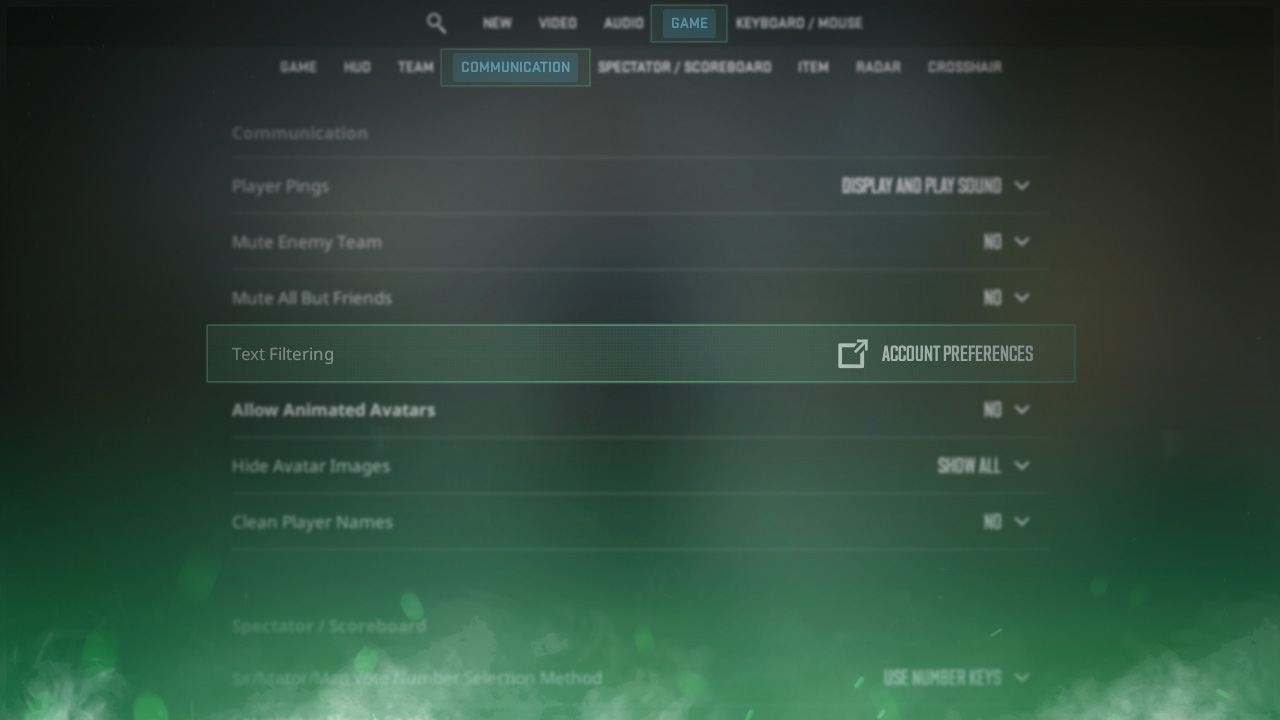
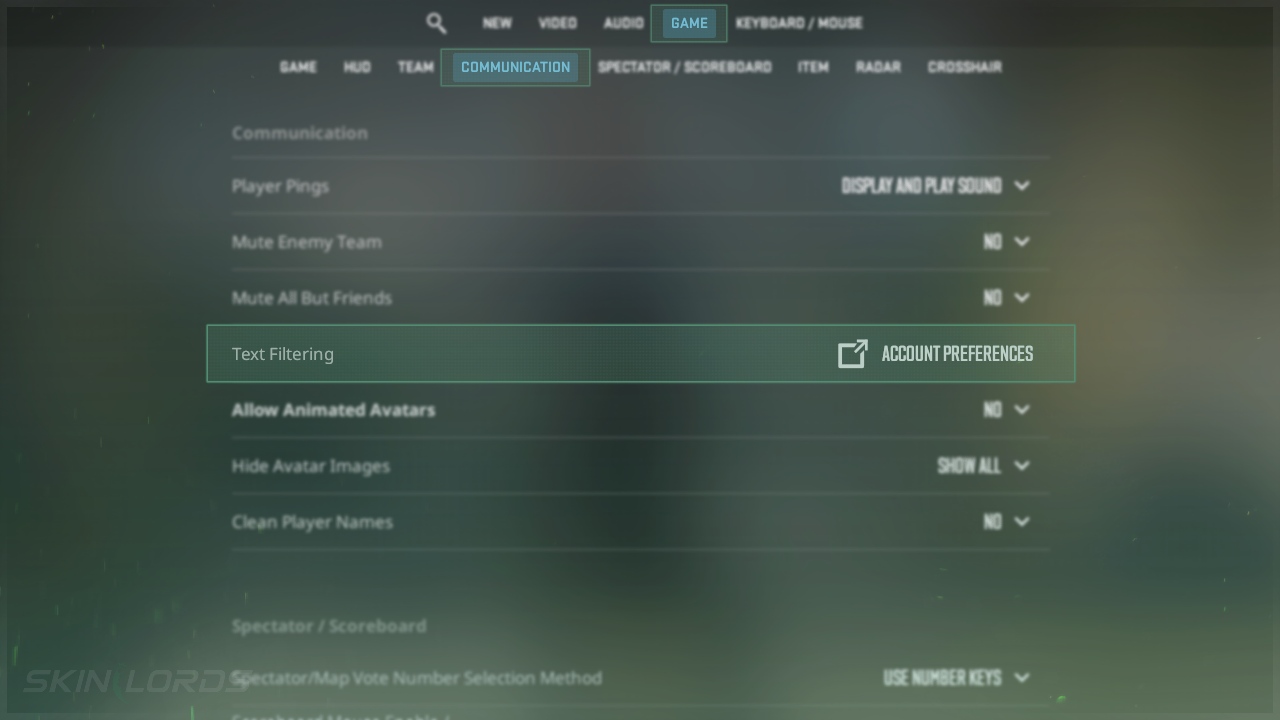
- Click on Game and then on Communication
- Click on Account Preferences which is next to Text Filtering
Customize community chat filtering in Steam
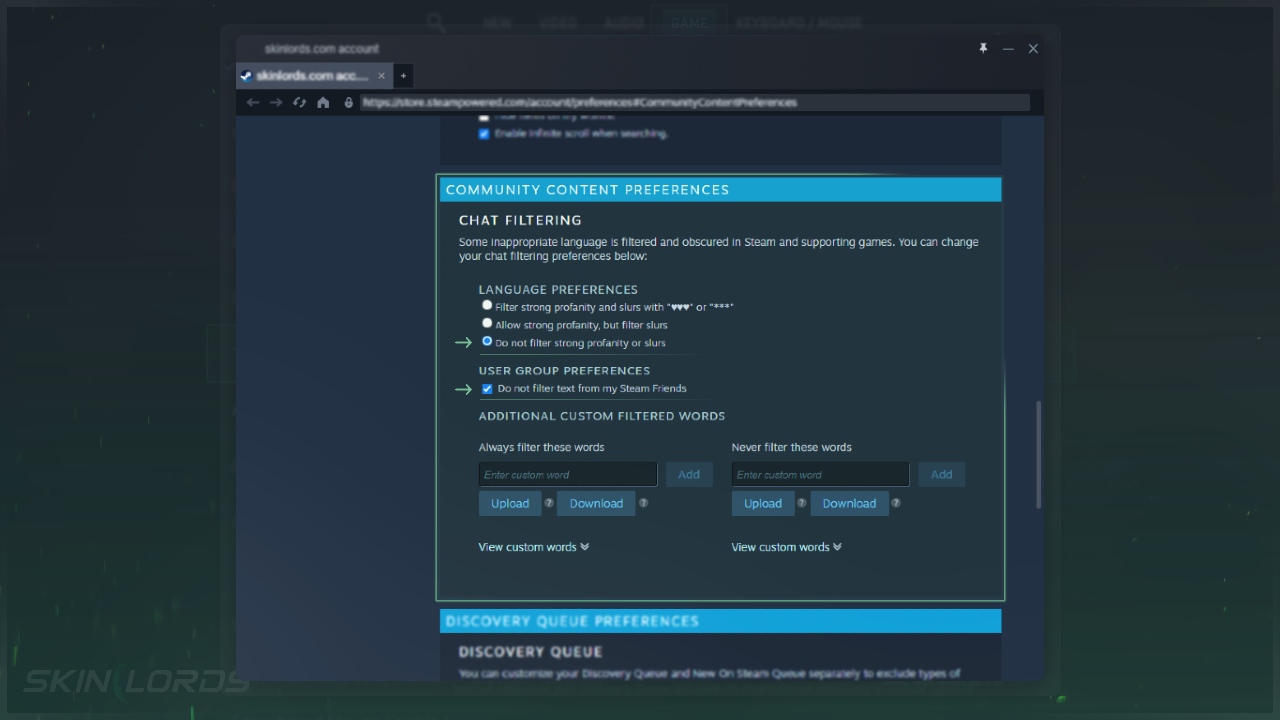
- A Steam profile settings page will display
- Choose your ideal language preferences under Chat Filtering
- Select ‘Do not filter strong profanity or slurs’ to remove the filter
We hope you found our quick guide on customizing chat filters in Counter-Strike 2 useful. If we missed any important information or if you encountered any issues while following the instructions in this guide, please don’t hesitate to leave a comment.

Similar Articles
See all
Game Customization
How to Change CS2 Sniper Crosshair Thickness
04.16.2026
0
220
Game Customization
How to Disable CS2 Silencer Removal
04.16.2026
0
697
Related Casinos

 Stake
Stake
Leave a reply